
Sep 27, 2016 12:31 PM UTC
Question

Re: CONNECT DATUM POINTS USING STYLE CURVE

Tobias,

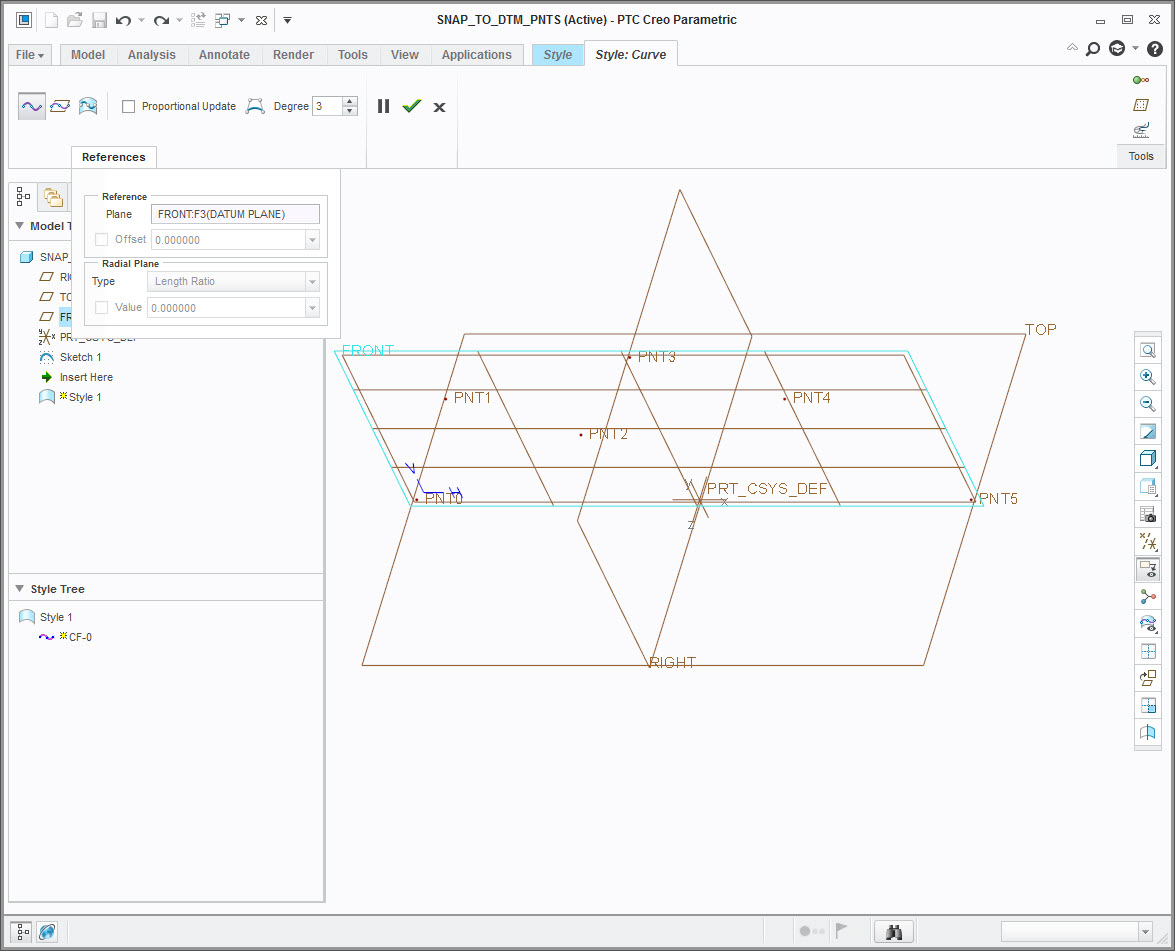
I would like to know how you got the Free Curve to snap to the datum points after selecting the Shift key, because that doesn't work for me.  The below image shows five datum points on an active plane.  When the Shift key is selected, the Free Curve will not snap to any point.
snap_to_points.jpg

    3 replies

    Sep 28, 2016 6:08 AM UTC

    When you create your curve, if you hold down "shift key" , the curve should snap to (any) point. Or, first create your curve, then when using "curve edit", hold down shift key, and it should snap to a point/entity/edge and so on... .

    //Tobias

    Sep 28, 2016 1:07 PM UTC

    strange, works fine for me. I do find it easier to use edit curve to snap it to the points, but.... it should work if you hold down the shift key (all the time) while creating your free curve.

    //Tobias

    Sep 29, 2016 7:08 AM UTC

    Creo 3.0 , datecode M070.