
Re: Change Creo 2.0 Language
Guido,
By default, Creo will install English, and that's why you were able to easily switch back to English, because someone had selected German during the install.
In my case, while updating to Creo 2.0 M080, I had to select the desired language under Customize for each application, Help Center, Parametric, Simulate, etc. Since I wanted German, German had to be selected, as it will not install by default. If this is not performed during install, you cannot switch from English to German.
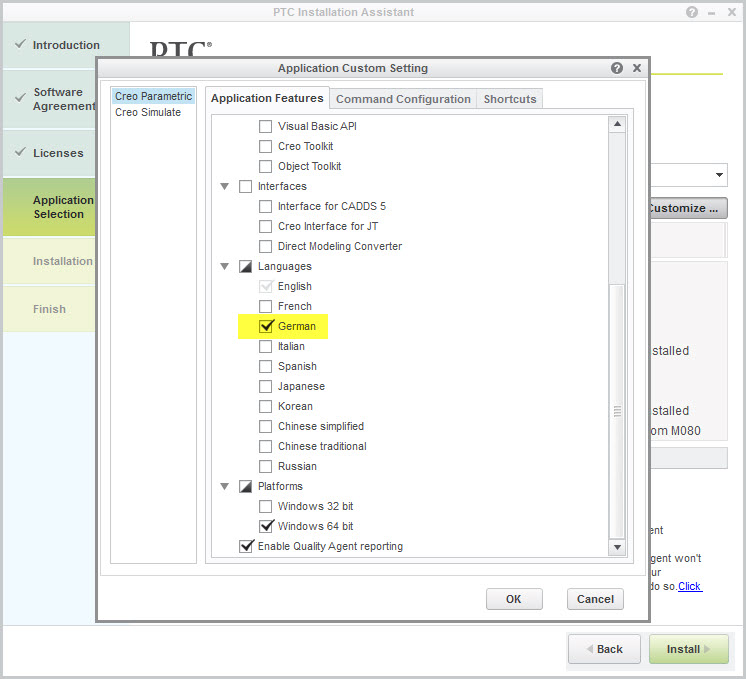
Figure 1: Selecting German for Parametric
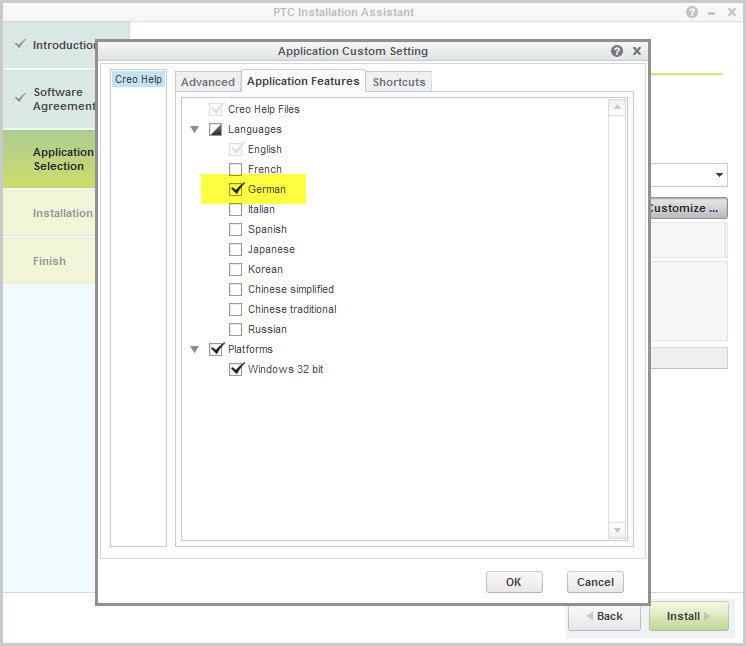
Figure 2: Selecting German for Help Center
After installation, the language will still be English. To switch to German, open the parametric.psf file with Notepad (location shown in Figure 3).
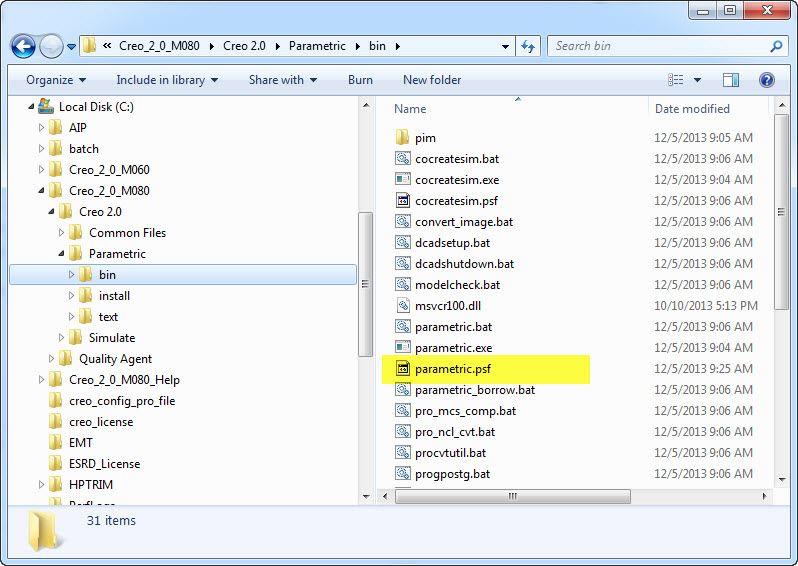
Figure 3: Path To parametric.psf
Enter:
ENV=LANG=german
Save the file then exit.
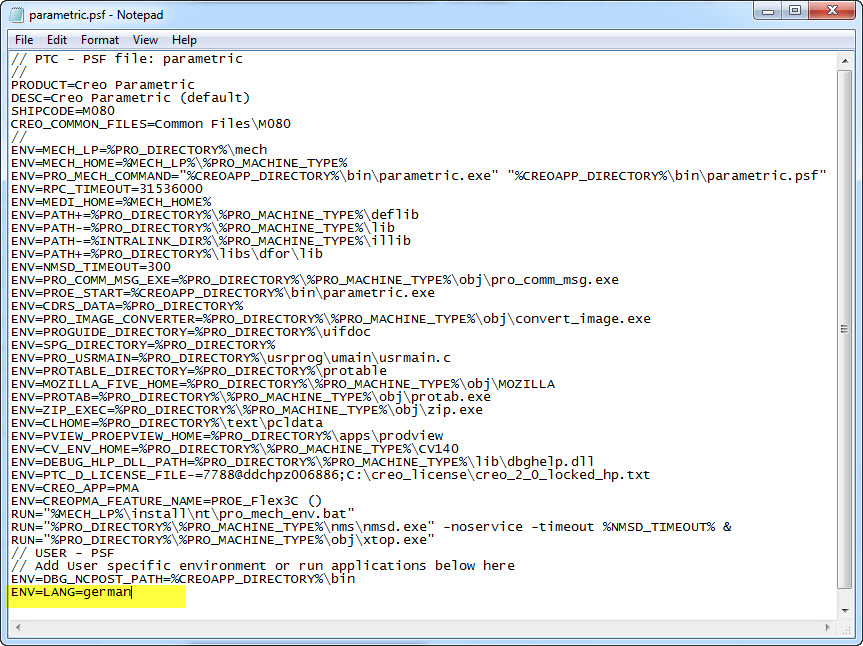
Figure 4: Opened .psf File