Question
Re: Arrow creation
Sharath,
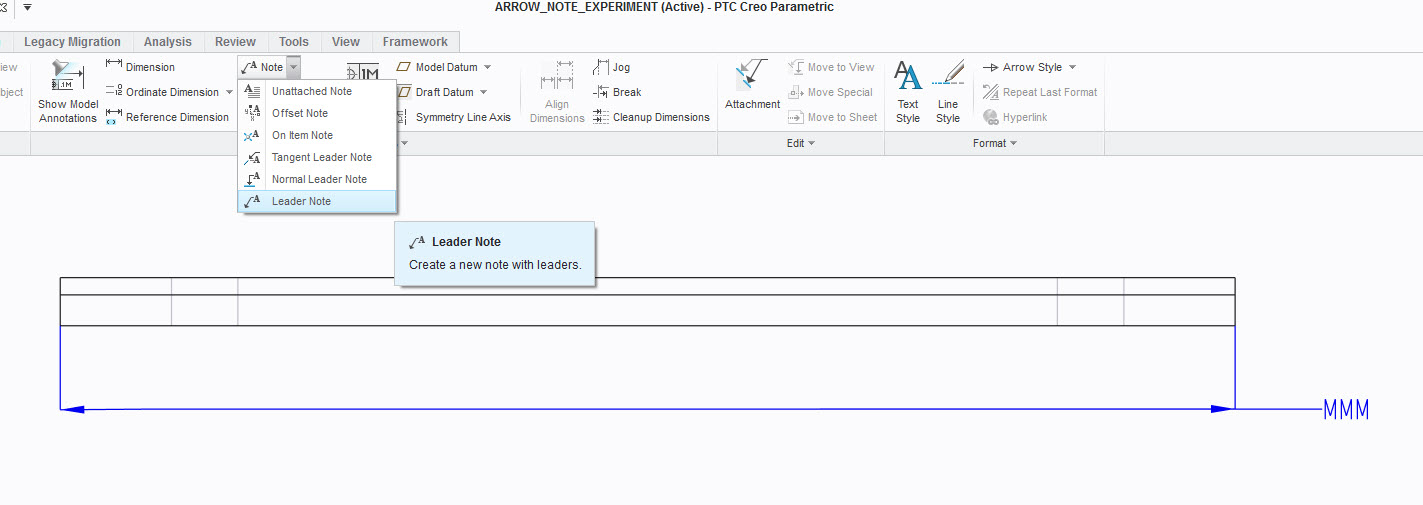
The only way I know to make a note as shown in your example is depicted below, which doesn't seem to be common practice in Creo. It's almost as if you want to dimension a part except have a note instead of a value. Also, you cannot detach the blue vertical lines from the part. The way I made this is:
Annotate > Note > Leader Note
Select LH side of part
Hold CTRL
Select RH side of part
Make note
Reactivate leader lines and move cursor over ends until you see a little black box
Drag leaders to desired positions