Nov 4, 2015 6:51 PM UTC
Question

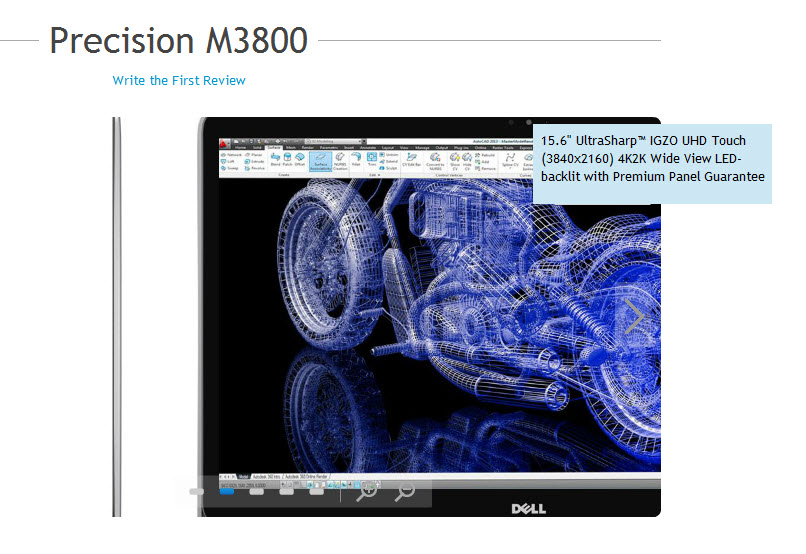
Dell Precision M3800 with (3840x2160) 4K2K

Community,

Does anyone have Creo Parametric 3 on a Dell Precision M3800 with (3840x2160) 4K2K?  If so, how does it perform?  BTW, that's AutoCAD in the image.
m3800.jpg

    14 replies

    Nov 5, 2015 4:33 PM UTC

    While we don't have 3800 specifically, we do have 4800's and 6600, 6800 here running Creo 3.0... Since the 3800 has room for 16g of RAM and K1100M Nvidia card you should be just fine!

    Whenever getting a new laptop never get one with just the Intel graphics.. We have been upgrading laptops because people with on-board Intel ran into problems running Creo Mold Analysis simulations on the simplest of parts, creating reports, and rendering would be painfully slow.   Be honest with yourself on what you are using it for, 8GB would be enough for smaller assemblies, and normal parts but no simulation.

    Every new designer here automatically gets M6800 with K3100 or K4100 Nvidia plus 16GB ram.  The Nvidia card is useful to us because we run Bunkspeed for rendering it it requires C.U.D.A. cores for solving speed. The more cores, the faster it solves.

    After reading the specs on this machine I really like it actually..... And the 4lbs is waaaaay better than carrying 10+ lbs for the 6800 around the globe.

    Hope this helps a little.

    Nov 19, 2015 9:39 PM UTC

    You may think that the higher spec laptop with a 4K screen will perform better than the standard model. However, the same graphics chip will have to render 4x as many pixels. The end result of this is that the graphics performance of Creo on the 4K model will be significantly worse than on the standard model.

    Nov 20, 2015 9:33 AM UTC

    ‌If your question is about the laptop specifics I can't help. But I am running two 4k screens from a k2200 on a desktop machine. 4k and Creo is fine for render with shadows and all graphics spinning visualisation tasks. But the line widths are rendered very thin so differentiating line types and colours in a big assembly is hard. But you do get used to it but it makes my eyes work harder. With 64gb ram and a 4gb graphics card plus 2 very fast processors and 48 cores and I am pretty sure it is Creo that is causing the roadblocks that slow down movement of big assemblies

    Nov 20, 2015 9:58 AM UTC

    Remember that 47 of your cores are absolutely no help at all...

    (What the heck processors do you have with 24 cores each - and why?!?)

    Nov 20, 2015 2:16 PM UTC

    It probably has 12 cores (each) with hyper threading enabled...

    Nov 20, 2015 12:22 PM UTC

    I have an almost 3 year old M6700 with the nVidia K4000M.

    It is running an external Dell 32" 4k monitor.

    I have had a few instances where the graphics card has run out of memory.

    I am always in real-time shaded mode, with ambient occlusion turned on.

    To see the "thin" lines, I have antialiasing turned up pretty high and have no issues seeing them.  of course compared to even a 17" laptop screen, 32" is HUGE! so probably why I have no issues with the thin lines.

    I couldn't live without 4k any more... am I spoiled? probably.

    but - hey when is the Dell Precision x900 series coming out? the x800s have been out for years... it's gotta be about time? 

    EDIT:

    Precision M6700 was released August 2012

    Precision M6800 was released September 2013...

    interesting that the M3800 was relaunched Jan 2015 to offer the 4k screen.

    new release has to be due out some time soon?

    Nov 20, 2015 9:38 PM UTC
    Nov 21, 2015 6:17 PM UTC

    Thanks!

    Dec 30, 2015 4:36 PM UTC

    We have 4 M3800's (I have one of them) and a high number of M4600-M4800's. I run Creo 3 on Win10.

    The 4k monitor on the M3800 is annoying. Software appears not yet ready to handle it, meaning there are a lot of mixed font sizes, super small icons at times, and switching resolution when docked is horrible. You have to restart the machine while docked or connected via HDMI for it to reset to the proper setting for a decent display.

    I do not recommend 4k resolution at this time if you do not have a 4k monitor to dock to. I run a Dell 27" @ 2560x1440 and off the M3800 it is blurry compared to the workstation it is also used by. Downgrading the 4k resolution is a horrible option, I'd say you MUST have a 4k monitor.

    While its form factor is real nice and the power supply small and light, the lack of number pad for CAD use is cumbersome, no Ethernet plug (you need to carry an an adapter), no VGA plug (need another adapter) and USB docking only. Gone is the standard Dell dock plug underneath and you need a separate power cord while docked.

    The M3800's performance in general is surpassed by every M4600-M4800 we have on site, but not by much. If you're thinking because the specs say its near equal, you should have a power house, you are mistaken. The M3800 is not a power house as the top end M4000 series are.

    IMO, only buy the M3800 if you MUST have the form factor and light power supply for travel. Wait for Dells next release of this model with improvements made.

    Dec 30, 2015 9:10 PM UTC

    An important note however is that Eric did mention using Windows 10 (good to know)

    In reply to your point about it not being "certified" I've rarely used an exactly certified system.  Sure, that puts me at risk for PTC throwing up their hands if there's a "glitch" but how likely is that to happen to me, on a system who's only difference is simply I got a higher end graphics card in the same family as the one that was certified, vs the one that's certified.

    The 7710 does have an ethernet port on the back.

    It does have a docking connector on the bottom.

    It does not have a VGA,

    Only has an HDMI* and Mini DisplayPort


    *can, via a smallish adapter to connect to a DVI cable. I have my Cintiq connected that way

    the mini-displayport is fine, but it's odd to have it coming out the side instead of the back.

    The 17" with 4k does rock my world.  I have not had issues with things being different font sizes, however I use specific fonts (not default) for all the UI in creo.

    Options I use in config.pro for the UI fonts (All Segoe UI font @ 10 pts)

      default_font Segoe UI, 10

      menu_font Segoe UI, 10

      model_tree_font Segoe UI, 10

      popuphelp_font Segoe UI, 10

      pro_font_dir c:\windows\fonts

    I also have the windows font display calibrated for the size of my screen (changed the DPI so that 1" = 1" on screen as displayed - this may or may not be using windows xp style scaling)

    I am also on Windows 7 x64.  perhaps the font display issues is related to Win 10?

    overall I'm very happy with the 7710.

    caveat: I do also have a 32" 4k dell monitor.  But even with the 17" laptop screen alone, I still find the extra pixels to simply be an amazing welcome feature.  It may be a personal preference.

    oh... last thing - the form factor is less sharp/pointy from the 6700, it thins out toward the front, and is slightly less massive, but very similar footprints between the 6700 and 7710.
