
Feb 27, 2014 12:53 PM UTC
Solved

Creo Simulate 2.0 - Calculate Large Deformations is Useless Warning?

PTC Community,

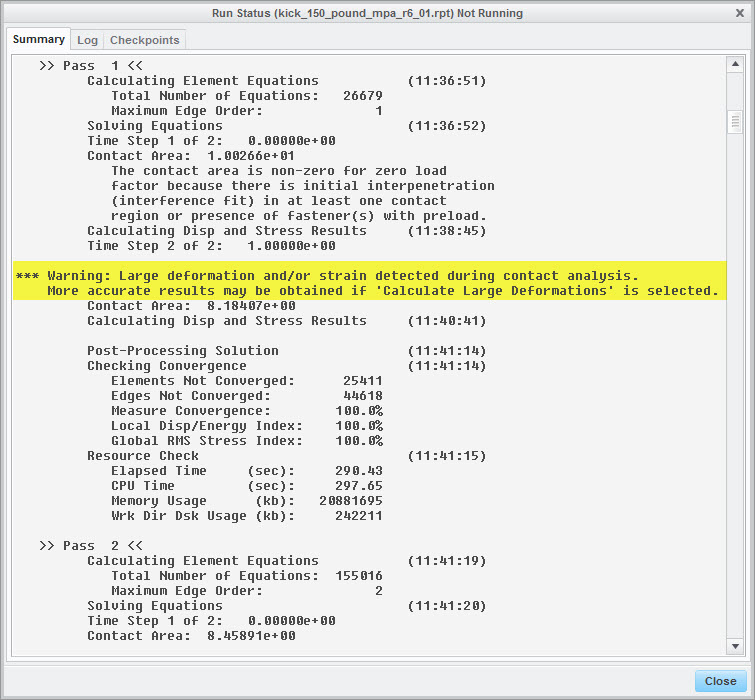
There appears to be a discrepancy with the following warning message:
large_deflections.jpg

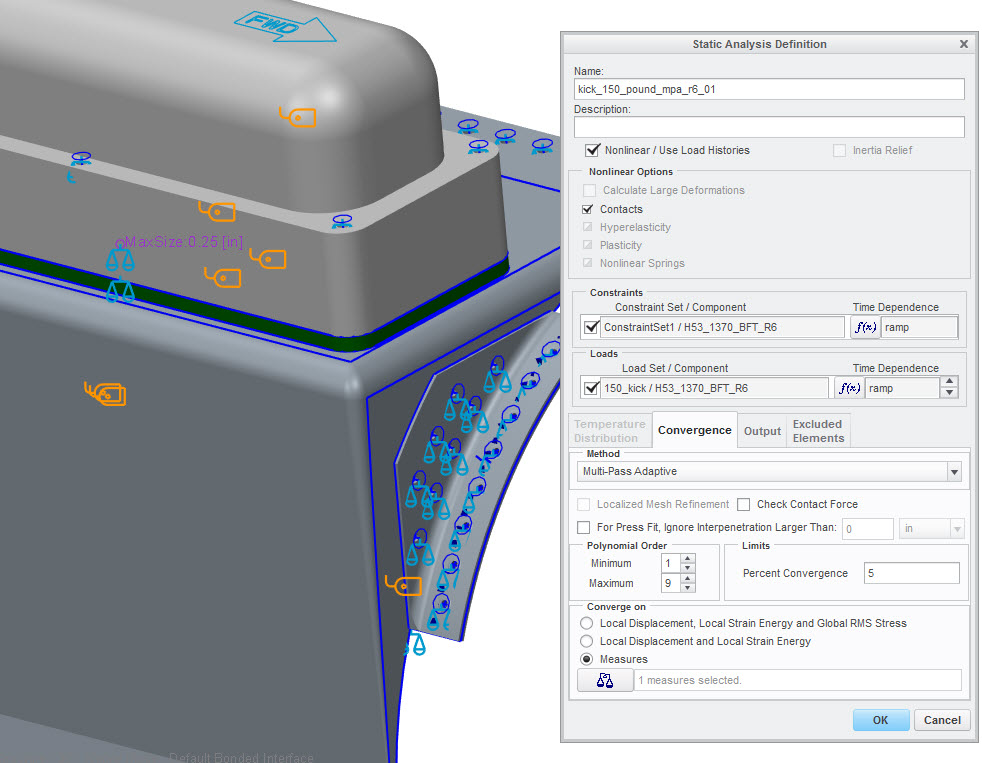
You cannot select Calculate Large Deformations even though the run summary states it. The check box is greyed out.
large_deflections_ii.jpg

    Mar 3, 2014 6:07 PM UTC

    Yes, technically PTC could of written the software to give a warning message when LDA should be used, and that you'd need to modify your model to allow for LD/S formulation. However, the LDA warning is a general one that PTC put to let user's know (who very well might not know ahead of time) that they've defined a system that could yield poor results.

    3 replies

    Feb 27, 2014 6:58 PM UTC

    Creo cannot use large displacement formulation if your model contains one of the following:

    1. Non-solid elements other than simple springs and point masses.
    2. Non-isotropic material properties.
    3. Temperature-dependent material properties.
    4. Weighted Links; I believe rigid links (simple and advanced) are allowed, but you'll get a warning that it can reduce analysis accuracy.
    5. Pre-Loads (I believe that the pre-load used for the fastener tool is OK).
    Feb 28, 2014 2:50 AM UTC

    This analysis has pre-loaded fasteners as indicated by the previous warning message. So if pre-loaded fasteners will prohibit large deformation calculations, why would creo suggest to use it if it can't be used? The system contradicts itself.

    Mar 3, 2014 6:07 PM UTC

    Yes, technically PTC could of written the software to give a warning message when LDA should be used, and that you'd need to modify your model to allow for LD/S formulation. However, the LDA warning is a general one that PTC put to let user's know (who very well might not know ahead of time) that they've defined a system that could yield poor results.