
Question
Creo Parametric - Rotate Inserted Image by Degrees
With the introduction of Creo, the capability to rotate an image by degrees was removed (Figure 1) and replaced with rotation by dragging (Figure 2). The problem with rotation by dragging is that it snaps about every 3 degrees, and the user has lost some control of accuracy. Restore the rotation by degree capability in Creo while keeping the rotation by dragging.
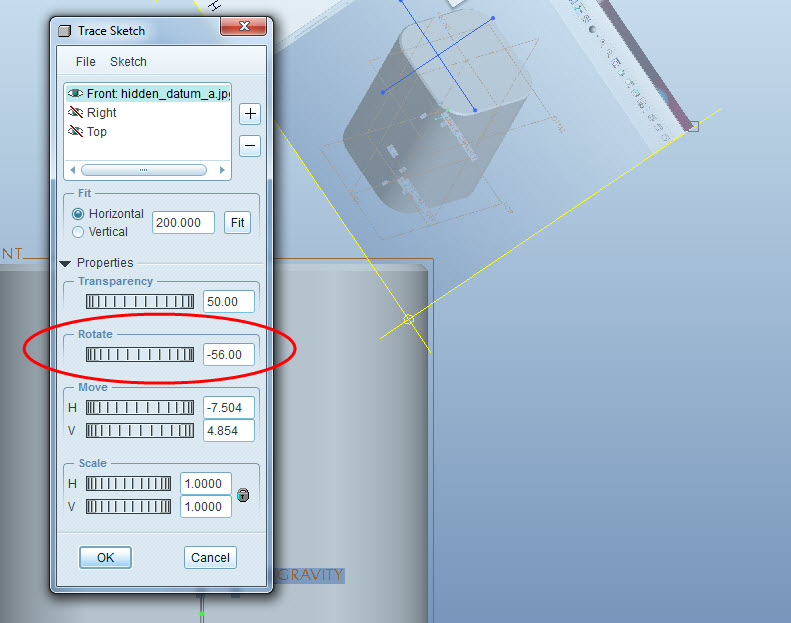
Figure 1: WF5 Rotate by Degree Input
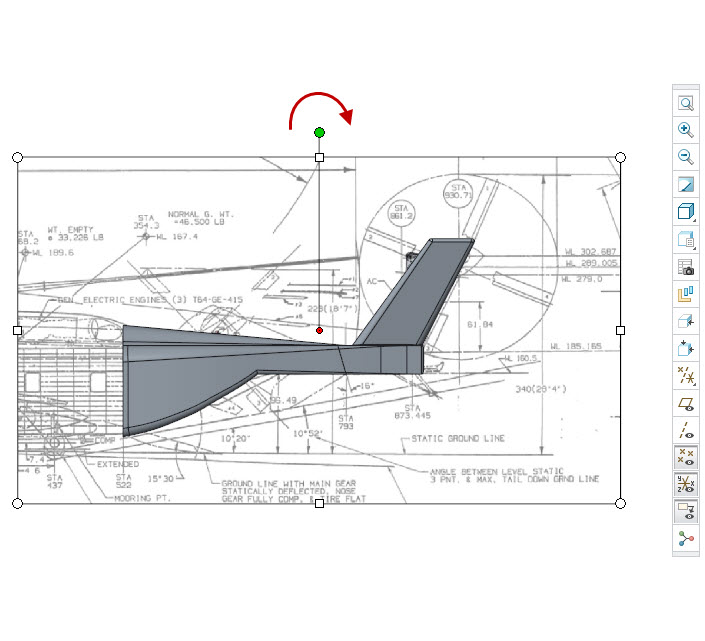
Figure 2: Rotation by Dragging