Apr 23, 2020 3:52 PM UTC
Question

Creo Simulate Live Not Showing Results

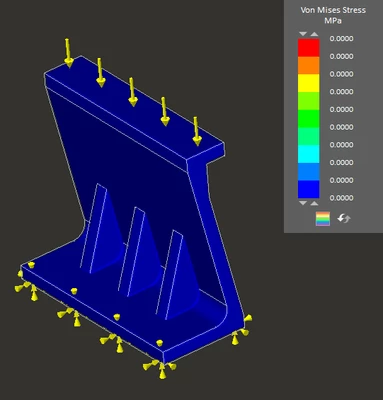
I have been trying to use Creo Simulate Live, just to see how it works, but when I start a simulation, I don’t get any results (see picture below). I tried running the same setup in Creo Simulation and got it to display results in there. Am I missing something in Creo Simulate Live to show me the correct results?


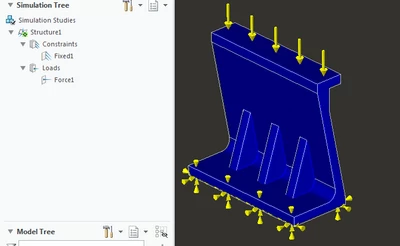
I used a load of 25lbf down on the top, and fixed the bottom surface.
ghunsinger_0-1587657017248.png


ghunsinger_1-1587657017257.png


3 replies

Apr 27, 2020 11:13 AM UTC

I had to add 2 folders on my computer to get it to work when I first used Simulate Live:

  •  Add MaterialLibrary folder to your working directory
  •  Add MaterialLibrary folder to the install directory
    • Here is where I found it - C:\Program Files\PTC\Creo 4.0\M090\Common Files\x86e_win64\simlive_home

I can't find the original documentation I received to add these folders, but as I remember, one of the folders is needed for it to work.

Apr 27, 2020 12:43 PM UTC

Here is the article referring to the issue I had - https://www.ptc.com/en/support/article/CS305968

(referred to in the article referred to by ghunsinger)


Apr 27, 2020 11:35 AM UTC

Hi @ghunsinger,


This is an known issue.

Please refer existing article https://www.ptc.com/en/support/article/CS311463 for troubleshooting steps.


Regards,

Rahul