May 15, 2017 9:35 AM UTC
Solved

Variable Round

Morning All

Been trying to get a 12 mm round on the attached drawing. Tried the surface to surface and even this won't work. any experts care to point me in the right direction?

Many Thanks.
May 15, 2017 11:31 AM UTC

I was able to create a constant 12mm round now.

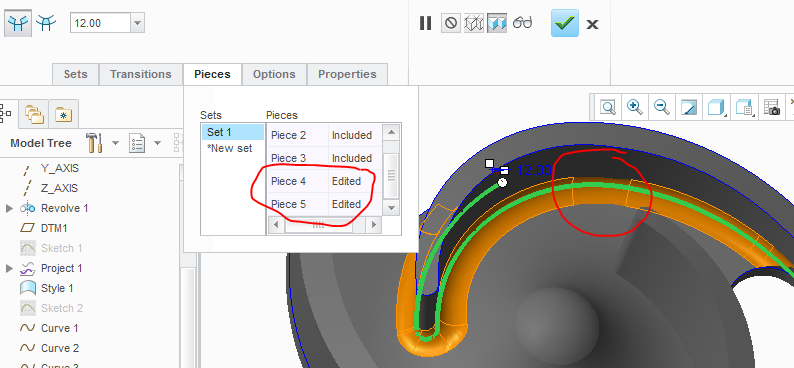
One more thing. I have excluded 2 pieces from the chain so the blend is smooth:

17 replies

May 15, 2017 10:20 AM UTC

See attached.

DieselPigAuthor
May 15, 2017 10:28 AM UTC

Hi MRV

When I try that on my PC (Creo 3.0 M090) it fails at 12 mm, 10 mm is OK.

May 15, 2017 10:32 AM UTC

I have reordered the rounds.

First the 12mm round and then the 5 mm rounds.

I have used 12mm all over and 5mm only at one end.

May 15, 2017 11:33 AM UTC

You have to switch the order of the 5er and ther 12er, yes, but that didn't cut it.

I had to add the highlighted rounds in order the get a working continous surface-surface round 12 (three sets needed).

No errors in the geometry check.

ScreenShot00440.png

May 16, 2017 1:19 PM UTC

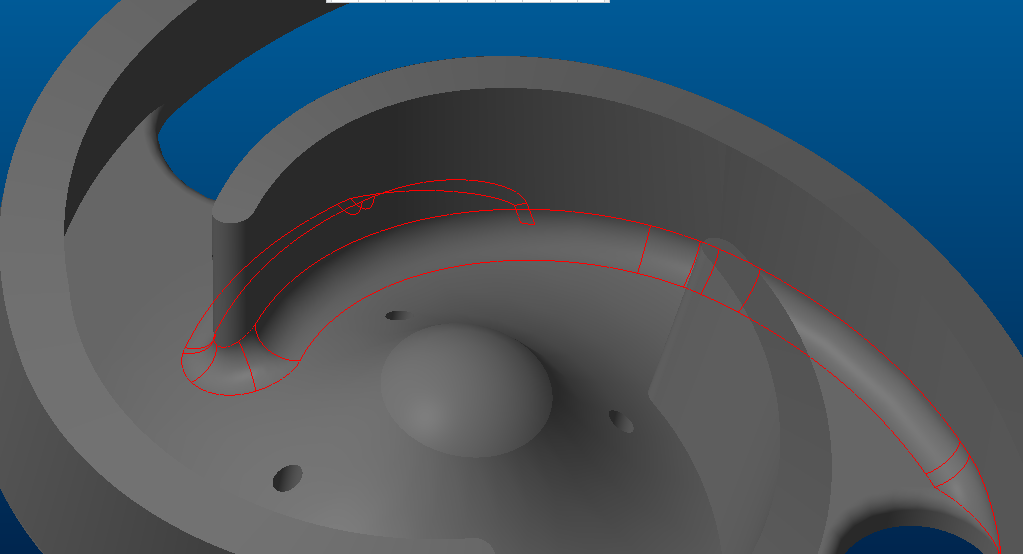
Your problem arose from non tangency conditions in your sketches.  Primarily SKETCH 1.  Then by projecting you just transfer this non tangency along through all the features.  You should have used splines to create the veins or converted all the segments to a single curve this would have helped.  I reworked your file.  It is attached.imp2.jpg

DieselPigAuthor
May 16, 2017 2:09 PM UTC

Hi Ron

Thanks for that, how did you convert the segments to a single curve?

May 16, 2017 2:26 PM UTC

There are two ways

1st this is what I did.  I went in and redefined your sketch, I selected everything you had sketched, except for the small round on the inside tip of the vein.  I then right mouse button and turned all your arcs into construction features.  Then from the node of the small round left over I started drawing a spline. It was snapping to your construction curves, I put maybe 3-5 points along the length of the spline.  When finished I chose the constraint for tangent and then forced the spline to be tangent tot he curve at the tip of the vein.  Then I went and removed all the constraints on the points of the spline releasing them from your construction geometry. I did the same thing to the other side of the vein and finally I put an arc for the outer most diameter from the center to the end points of the 2 splines.  I did this for both your projected Sketch 1 and then for the lower flat sketch.

Alternately you could just covert your geometry directly into splines by edit definition of your curve then select with cntrl all the lines you want to make into one spline.  Then click the operations menu and convert to tab then spine on the drop down.  I did not use this on your because you had some of your curves that were not tangent which would still make for a poor surface quality when making your round.  spline.jpg