Jan 22, 2018 8:18 AM UTC
Solved

Tapped hole through

Hello everyone,


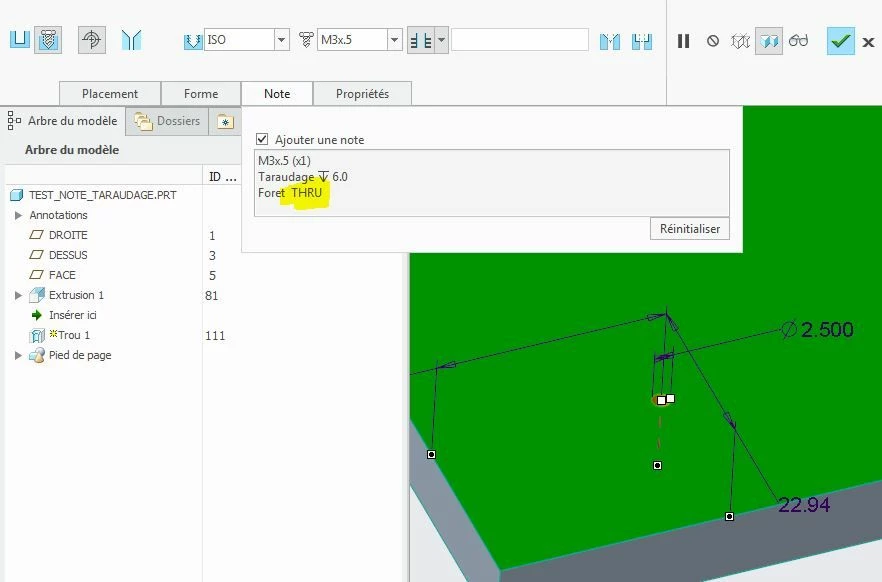
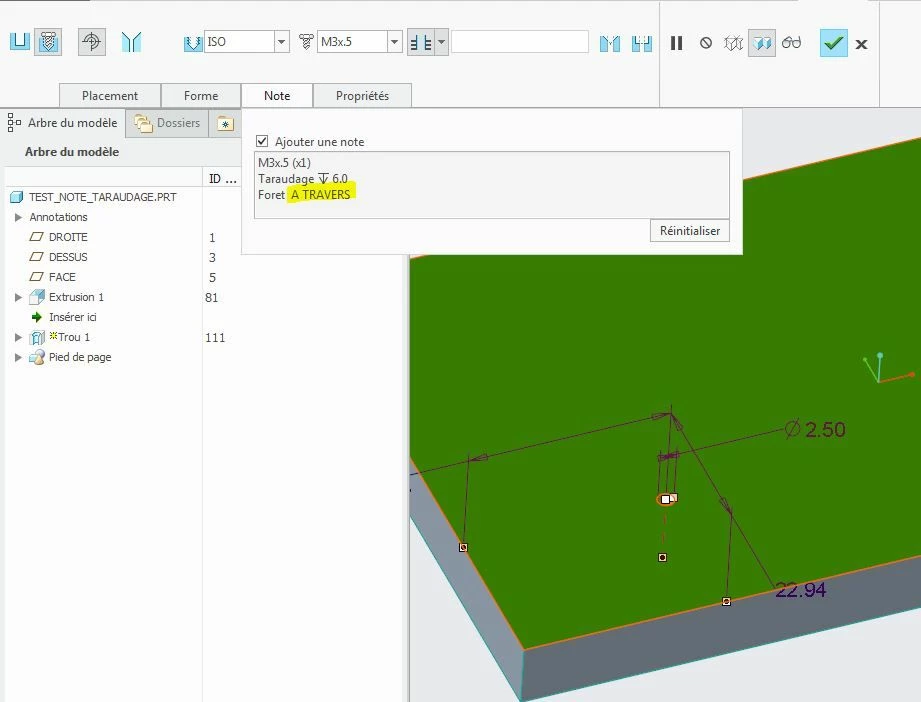
Since Creo 4.0 M030, when creating a hole through a part I noticed the note telling it's going through the part change to english from french. Since M030 it's written THRU instead of A TRAVERS. Any idea to change this ? All the rest of Creo is still in french as expected. Below the same file. The first picture shows the note with M040 and the second with M020.
Capture_THRU.JPGCapture_A TRAVERS.JPG

RaphMORINAnswer
Jan 24, 2018 10:55 AM UTC

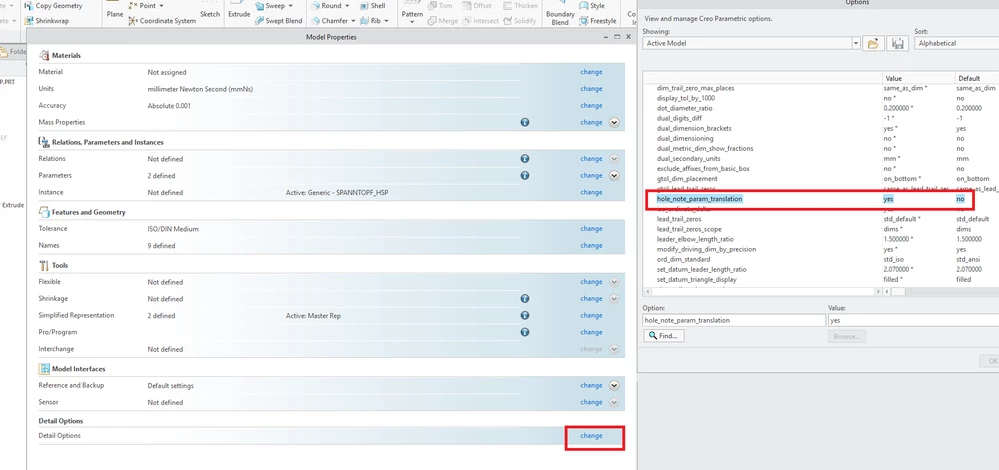
Finaly got the answer from support. Since M030, there's a new option in part DTL file called hole_note_param_translation. I can adjust this option in my templates... But in all the parts I made before I have to set this new option to get the correct translation ! Smiley Mad


Hole_note.png

9 replies

Jan 22, 2018 12:19 PM UTC

Did you tried creating hole feature without using any customization or configuration?

If it is reproducible without in default configuration, I would suggest to submit a case with PTC tech support. 

RaphMORINAuthor
Jan 22, 2018 12:51 PM UTC

Thanks Mahesh, it's reproductible without my configurations file !!

Jan 22, 2018 1:10 PM UTC

Please submit a case for Tech support. It can be due to some change, TS can debug that. 

Jan 22, 2018 2:30 PM UTC

Hi, These note formats come from the hole table that you are using. Iso.hol, the callout format is configured in this hole table file and is customisable. I'm struggling to get this working too but here is the link for the data formatting. I suspect that this has been populated in English so is you adjust the table you can replace with the french you require.


http://help.ptc.com/creo_hc/creo30_pma_hc/usascii/index.html#page/part_modeling%2Fpart_modeling%2Fpart_nine_sub%2FFormatting_Thread_Notes.html

RaphMORINAuthor
Jan 22, 2018 2:34 PM UTC

In fact, my hole tables work perfectly fine with Creo 4.0 before M030. The problem started with M030. If I open a file with M020, it's fine. The same file opened with M030 et M040 shows this problem.

Jan 22, 2018 2:45 PM UTC

Copy the hole file from the m020 install to the m030 install folder and see what happens. Save the m030 file first.


Is the language translated on the fly or coded into the hole files for each language?


RaphMORINAuthorAnswer
Jan 24, 2018 10:55 AM UTC

Finaly got the answer from support. Since M030, there's a new option in part DTL file called hole_note_param_translation. I can adjust this option in my templates... But in all the parts I made before I have to set this new option to get the correct translation ! Smiley Mad


Hole_note.png

Jan 24, 2018 12:00 PM UTC

Thanks for sharing the information. 


You may accept information shared by you on post as solution for the post.