Sep 18, 2018 1:02 PM UTC
Question

Surface desing- smooth radius corner

Hello,


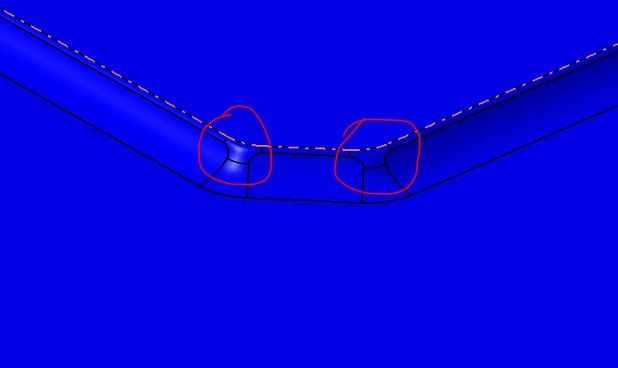
I've an imported surface, that I need to make some changes.
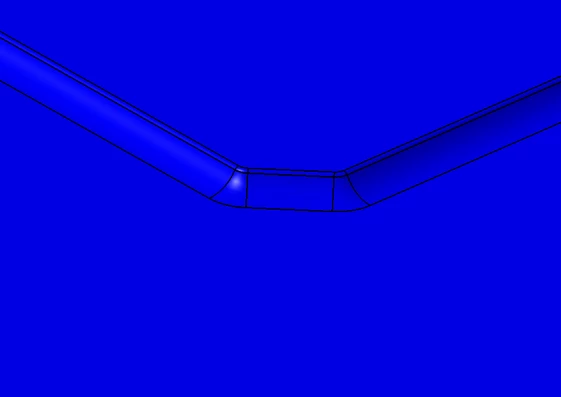
Initial stateInitial state

desired statedesired state


Generally in other CAD system (for example CATIA). I could do the follwing.
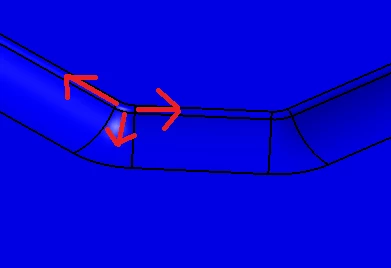
 

Make a copy of the edges, and them make a translation to them.Make a copy of the edges, and them make a translation to them.
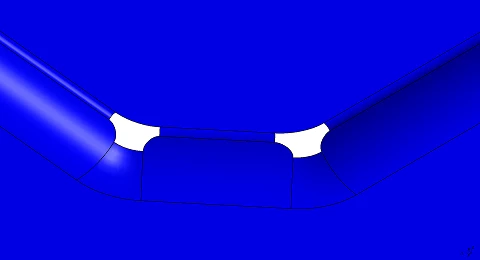
 

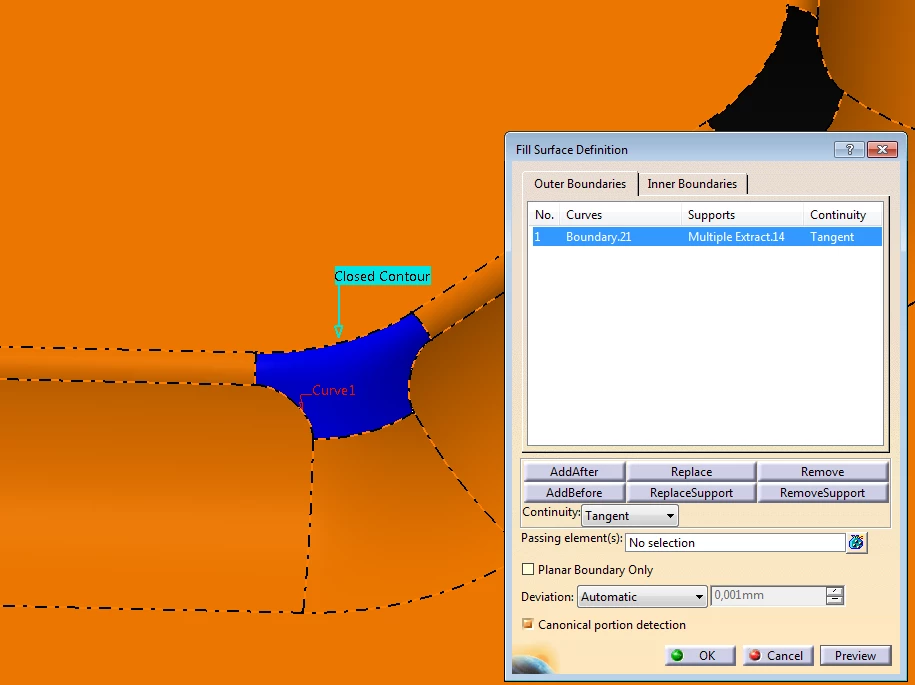
Then, make a spline between the translated edges, and make a trimThen, make a spline between the translated edges, and make a trimfinally, wtih the fill surface command, I pick the border of the surface, make a tangencial constraint between the original surface, and the new one, and the surface is closedfinally, wtih the fill surface command, I pick the border of the surface, make a tangencial constraint between the original surface, and the new one, and the surface is closed

Now I need to replicate those steps in Creo, but I don't know how to do it. Remember, i'm working with imported stp files, all the surfaces are dead.


8 replies

Sep 18, 2018 3:57 PM UTC

You can accomplish this in the Style feature. See Offset Curve, Curve from Surface, Drop Curve, and/or Curve on Surface for the curves. Then, N-Sided surface will be used for the patch. 

CAD_userAuthor
Sep 18, 2018 3:59 PM UTC
Thanks

Where I can find the n-sided
3-Newcomer
Sep 18, 2018 4:19 PM UTC

The "N Sided Patch" command is not in the ribbon, at least in Creo 2, you need to search for it using the command search.

Capture.JPG


You also may need to set the config option " allow_anatomic_features"  to yes.


I was able to create it without using style, I've attached my Creo 2 model.  I also found that trying to create the patch in one step resulted in unwanted wrinkles. I created half, mirrored it, merged and then solidified.