
Feb 22, 2022 2:41 PM UTC
Solved

Sketcher "Point on Extension Line" Constraint

During sketching I often run into this constraint and I would like to disable it, the problem is, this one is not in the list of constraints in the options menu. A google search has not been fruitful. 


I do not want the points of a box I am sketching to snap onto other references, I know I can right click to disable it but would prefer to not have to deal with this constraint at all.


Any tips would be appreciated.
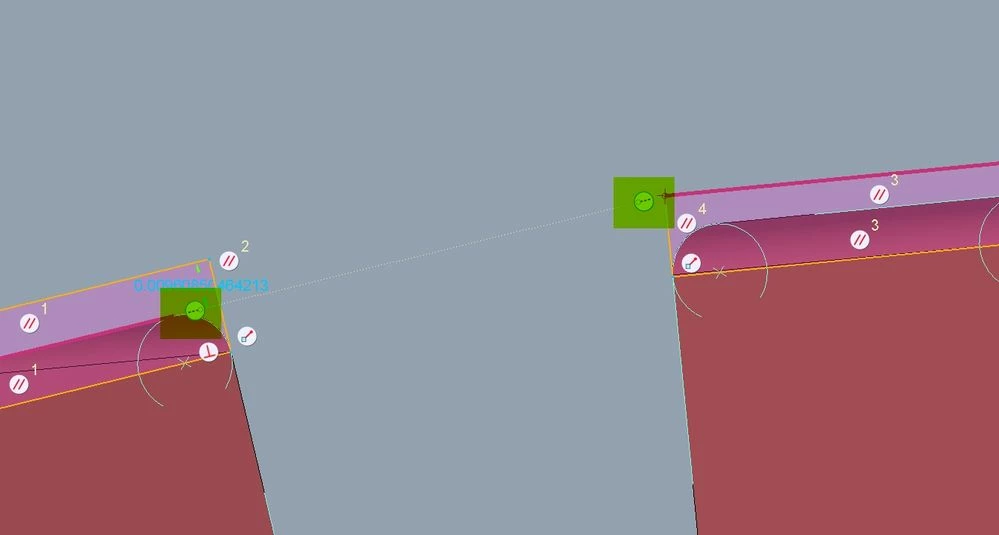
 

constraint.jpg

kdirthAnswer
Feb 22, 2022 2:47 PM UTC

Holding shift disables creation of all constraints not locked.  💡

5 replies

kdirthAnswer
Feb 22, 2022 2:47 PM UTC

Holding shift disables creation of all constraints not locked.  💡

M.ShulerAuthor
Feb 22, 2022 2:50 PM UTC

This will work for sure.


If there is no way to completely disable this constraint I will mark this as the solution, but it's more of a workaround IMHO.

Feb 22, 2022 3:03 PM UTC

Try config sketcher_point_on_entity_constr no.