Mar 27, 2019 10:10 PM UTC
Solved

Sheetmetal Flat Pattern

Is there someone out there with a tip to create flat pattern of this (orifice). Created in sheetmetal but not from a form.
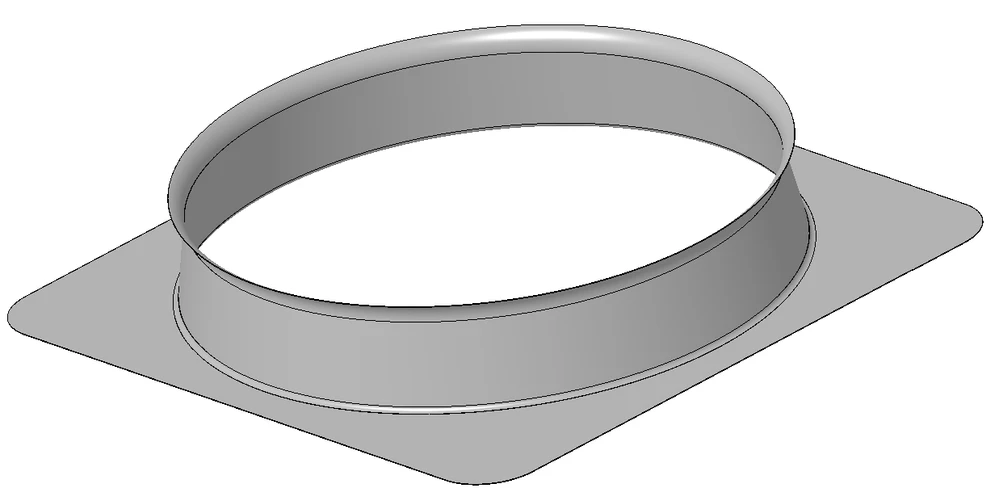
orifice.png

tcusumanoAnswer
Mar 28, 2019 2:42 PM UTC

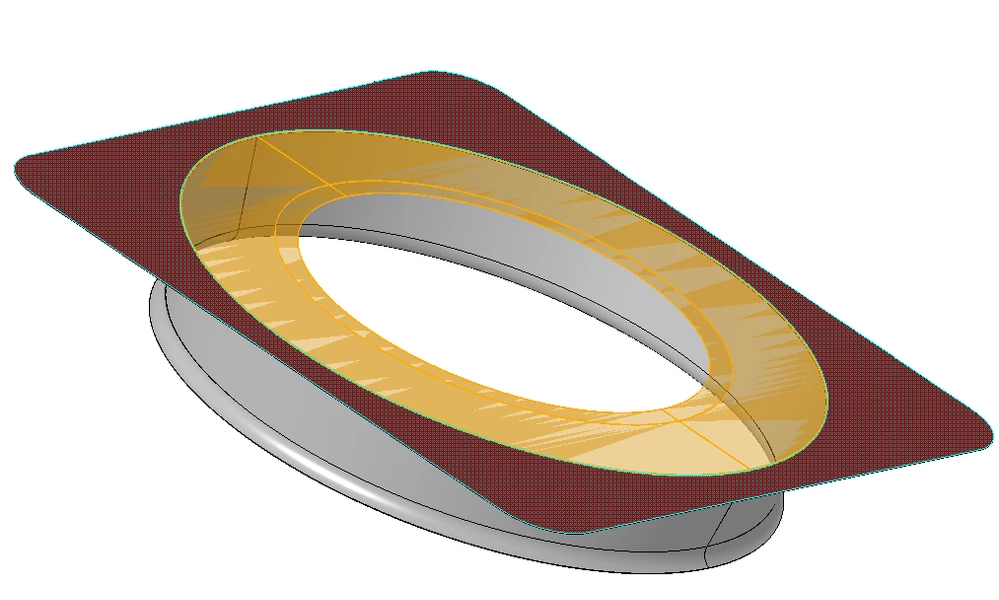
Shoing flat in Yellow.Shoing flat in Yellow.


Was able to solve by changing the feature from a swept to a flange. Works great.


5 replies

Mar 28, 2019 12:13 PM UTC

I am fairly certain the answer is no because you are changing the size ("drawing") the material and not bending it (sheetmetal).

Mar 28, 2019 12:56 PM UTC

That is not a bent part, it is a die draw.

Sheetmetal flat pattern ONLY works if you are bending a straight line. The material does not change thickness (disregard that it does thin a little) and it is a straight bending process.


Think of it like this, take a piece of paper and put it on your desk. Now place a straight edge ruler over the paper. Bend )fold) the paper against 1 edge of the ruler. THAT is a sheetmetal bend that can be unfolded. anything else requires additional software.

tcusumanoAuthorAnswer
Mar 28, 2019 2:42 PM UTC

Shoing flat in Yellow.Shoing flat in Yellow.


Was able to solve by changing the feature from a swept to a flange. Works great.


Mar 28, 2019 3:01 PM UTC

If you think about the stretching of the material, I would be skeptical that the flat is 100% correct. The simple bend calculations the Creo is doing is for bending in one direction. Maybe it's close enough. It was obviously look like what you are showing but are you getting realistic numbers?