
Jul 30, 2021 4:22 PM UTC
Question

Sharp tangent edge display

Curious how I can get my tangent edges to display as such in assembly view:
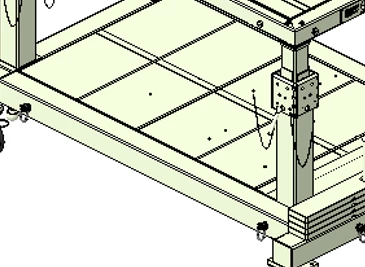
kspabs_0-1627662044209.png


Currently, my model is displaying like this instead:
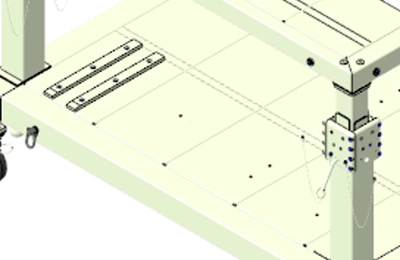
 

kspabs_1-1627662079803.png


And I need to match the first image view style for a presentation I'm updating. Any idea? Been messing with settings and configuration values for over an hour trying to figure it out.

3 replies

Jul 30, 2021 6:35 PM UTC

It would appear that the lower image was rendered with the tangent edges set to dimmed. Try setting the tangent edges to solid in the options UI and then shade with edges.


tbraxton_0-1627670052837.png


kspabsAuthor
Jul 30, 2021 6:41 PM UTC

I have Tangent Edge display to Solid and I'm still not achieving what I'm looking for. Not sure if there is something else that is overriding this?

Jul 30, 2021 7:25 PM UTC

If you have not, look at the component(s) in the assembly that are not displayed as you want in part mode as a shaded view with edges. Is it consistent in part mode? Are the edges in question truly tangent edges?