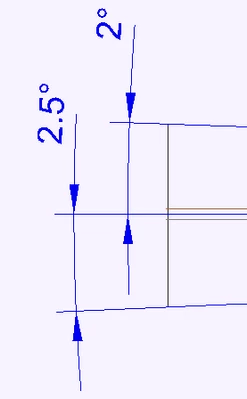
I don't think it is possible to get one of them to flip and read the same as the other. Creo is trying to keep the text closer to right side up. flipping the lower one would make it closer to upside down.
You could move the lower text up above the horizontal axis to get it to flip. The other option is to make both oriented horizontal.
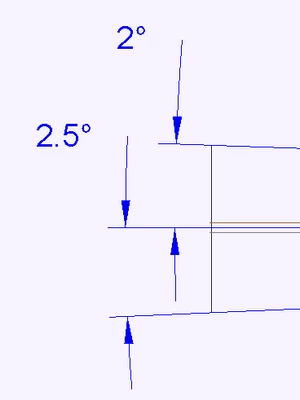
I don't think it is possible to get one of them to flip and read the same as the other. Creo is trying to keep the text closer to right side up. flipping the lower one would make it closer to upside down.
You could move the lower text up above the horizontal axis to get it to flip. The other option is to make both oriented horizontal.
Windchill Satisfaction Survey
Help shape the future of Windchill. Take our 5-minute survey and share your feedback.