Solved
Revolving is not round it is coming hex
Hiii Good Morning all,
I have just started to learn Creo, I have installed Creo 10,
while revolving i am getting issue, instead of round it is coming hex revolving,
please help me to resolve the issue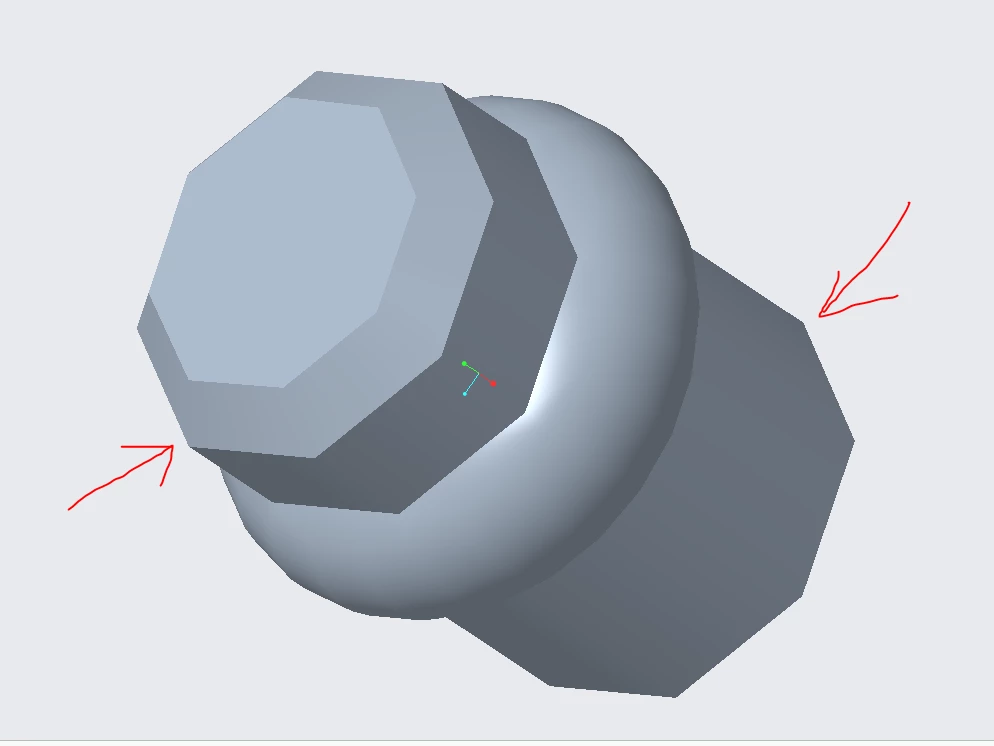

Hiii Good Morning all,
I have just started to learn Creo, I have installed Creo 10,
while revolving i am getting issue, instead of round it is coming hex revolving,
please help me to resolve the issue
Enter your E-mail address. We'll send you an e-mail with instructions to reset your password.