Jan 7, 2015 6:58 AM UTC
Solved

Method for finding dimensions in drawing

In the drawing view is it possible to find the location of a dimension of a feature, by clicking on that particular feature in the model tree.

Jan 9, 2015 4:34 PM UTC

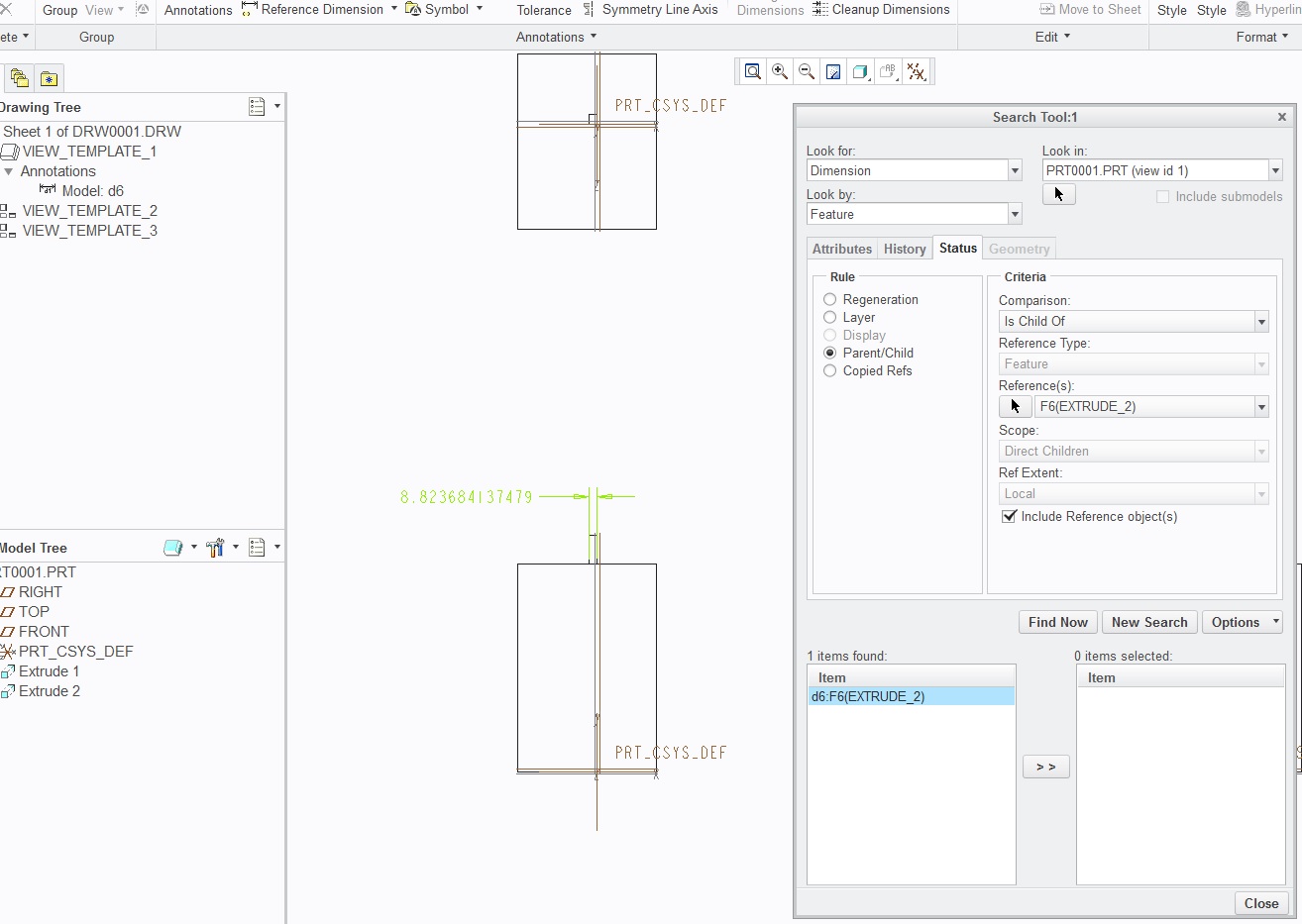
If the feature dimension has already been shown in the view, the search seems to do the trick with the following search criteria.

.Search_Dim.jpg

If the dimension has not yet been shown and you're trying to show it by looking only at its feature, click "Show Model Annotations" then click the feature from the Model Tree.

4 replies

Jan 9, 2015 4:34 PM UTC

If the feature dimension has already been shown in the view, the search seems to do the trick with the following search criteria.

.Search_Dim.jpg

If the dimension has not yet been shown and you're trying to show it by looking only at its feature, click "Show Model Annotations" then click the feature from the Model Tree.

Jan 13, 2015 6:25 AM UTC

Thank you Walton, It solved my issue..