Apr 2, 2015 5:34 PM UTC
Question

Is it any way to match properties of one dimension to another?
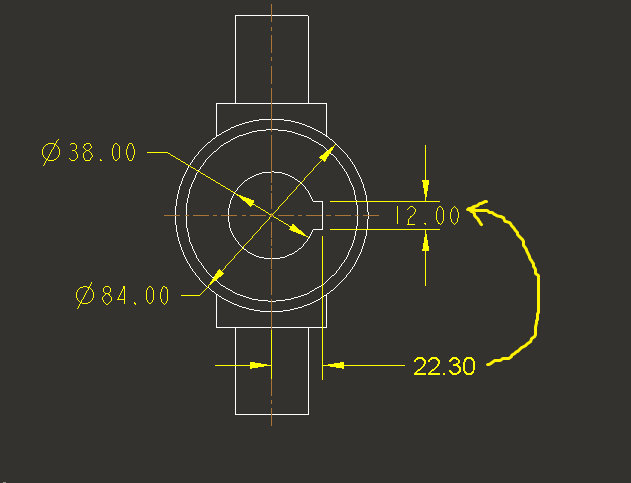
111.png I like to match the properties of "22.30" dimension to others, any possible way to do that one like Auto Cad "MATCH PROPERTIES" in Pro-E?

4 replies

Apr 6, 2015 12:29 PM UTC

I am not that familiar with the latest versions of AutoCAD, so I will assume that by "match the properties" you mean that you want one dimension to be equal to the other. There are two ways you could accomplish this:
1. You could generate a construction line between the two references for your 22.30 dimension, then set your other line that you want driven to the same dimension to be equal to the length of the construction line using constraints

2. You could define the value of your "driven" dimension to be equal to your driving dimension either in a relation in the sketch or through a relation set at the model level.

Nov 15, 2018 11:27 AM UTC

I think they mean... is their a tool that will copy the dimension settings (tolerance values, diameter symbol etc...) from one dimension to another (or to several others) ?  That is what the match properties command in AutoCAD will do (for any type of object). I can't find a similar tool in Creo 😞

Nov 15, 2018 1:20 PM UTC

In the annotation tab, select the dimension you want to modify then select the TEXT STYLE icon, at the top of that dialog box, there is a "copy from" area, use the SELECT TEXT button, then select the dimension you want to copy the text properties from.

You can also access this in the text style tab of the RMB properties dialog box.