
Jan 28, 2020 5:35 PM UTC
Question

Initially include more than one Family Table instance as Drawing Models

Is there any way to include more than one family table instance as drawing models when creating a new drawing? Currently, we're selecting the generic and then adding the Flat instance of a sheetmetal part when completing drawings. It seems like there could or should be a way here to save a step.
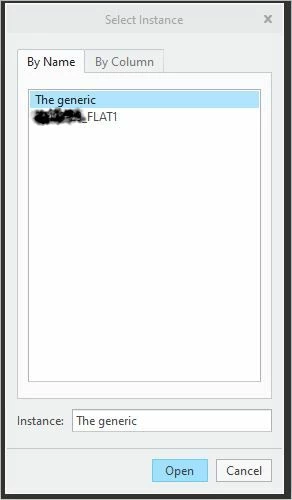
 

Capture.JPG


Thanks in advance.

4 replies

Jan 28, 2020 6:07 PM UTC

When you start your drawing, while in the layout tab, right click in the drawing and click "Drawing Model". That pops up a menu manage with one of the items being "Add Model". You can add as many instances of from your family table as you want. Use the "Set Model" to activate the instance of choice.

CoAnlAuthor
Jan 28, 2020 6:57 PM UTC

Good to know but is there a way to select all the models at the point of drawing creation, i.e. when the dialog box in the screenshot included with the original post is displayed?

Feb 4, 2020 9:02 PM UTC

No, you'd need to select a specific family table instance because they can all be set as active individually. When you select the specific family table instance, that is the representation that will be shown when you create a new view.

Feb 5, 2020 12:27 PM UTC

Alternatively, you can create the "Flat" version by creating a simplified rep of it instead.  If you are moving to MBD this is the only way to get the flat state on the drawing without losing annotation references in the model.