
Oct 4, 2017 1:32 PM UTC
Solved

Imported models does not show up in creo view

Hi,

We use creo view as an extra tool at assembly in our workshop. We´re having problem with imported models though. they usually show up as in the picture below. Circled is the space where it should have been a motor. The problem seems to be the same with both .stp and .igs. (We usually use .igs)


Does anyone have a solution to this?
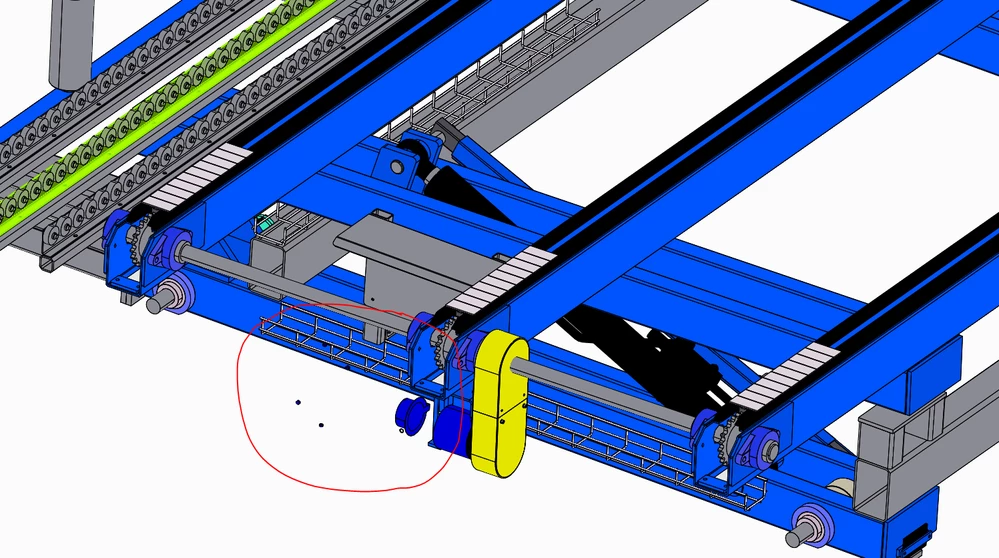
missing motor...missing motor...

Thank you in advance

//Randek
llieAnswer
Oct 4, 2017 2:59 PM UTC

Randek,


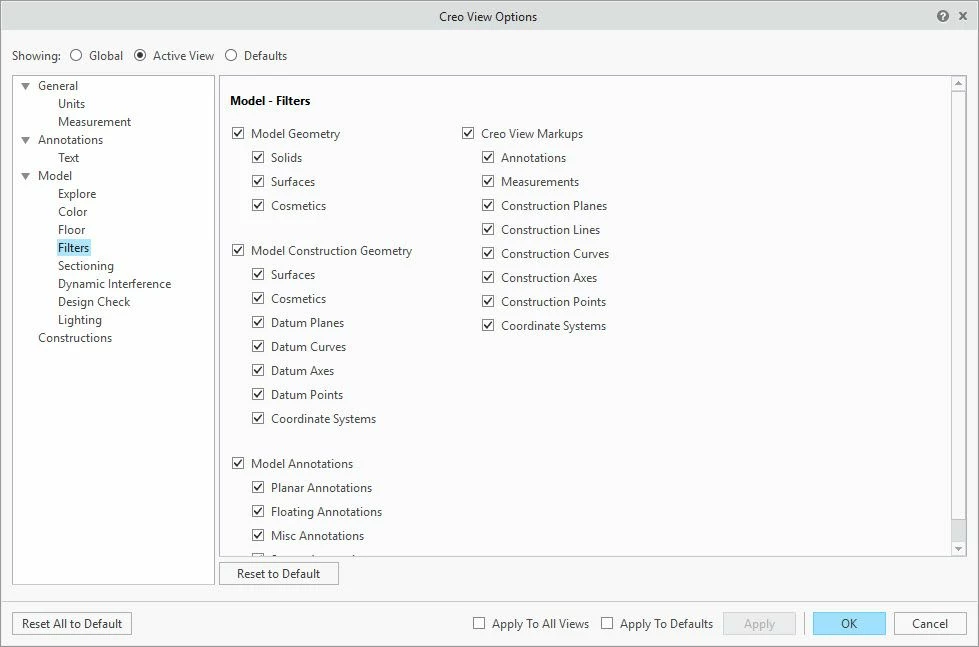
This means that the imported geometry into Creo from the vendor was a surface model and not a solid model. The fix for this in Creo View is Home tab, Filters, select the appropriate Model Construction Geometry filter, then Apply to see the changes on your screen. If you want to set it as the default, make sure to select the Default Radio button and then the same filter selection.


Creo View Filters.jpg

2 replies

llieAnswer
Oct 4, 2017 2:59 PM UTC

Randek,


This means that the imported geometry into Creo from the vendor was a surface model and not a solid model. The fix for this in Creo View is Home tab, Filters, select the appropriate Model Construction Geometry filter, then Apply to see the changes on your screen. If you want to set it as the default, make sure to select the Default Radio button and then the same filter selection.


Creo View Filters.jpg

RandekAuthor
Oct 5, 2017 5:20 AM UTC

Thank you!

Problem solved 🙂