
Jan 3, 2017 7:22 PM UTC
Question

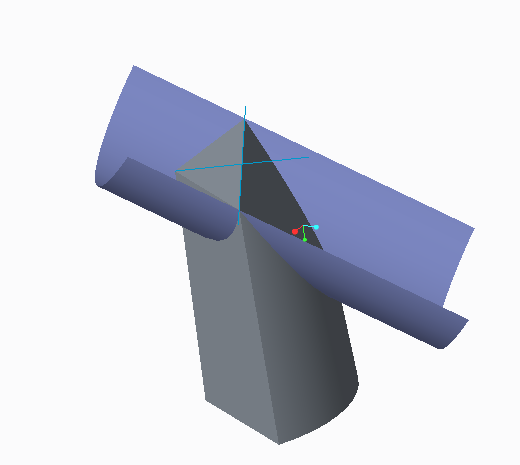
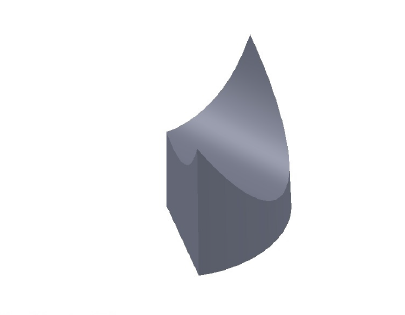
i am using creo parametric 3.i trying to cut the model in the left hand side using the blue semi-circular surface in order to bring it in the exact same form as the shape in the right hand side but i cant.how do i cut using surfaces instead of sketch
Capture.PNGCapture.PNG

6 replies

Jan 3, 2017 8:14 PM UTC

Use the solidify command under MODEL tab in the ribbon Editing section. For CUT, use the removal cut icon.

Jan 4, 2017 10:20 AM UTC

hello and thank you for your answer.i do know that but in order to do what you said i have to sketch on the drawing.but i dont want that.what i want is to use the blue surface as a sketch in order to cut it.but i dont know how to do it.i have to use references this won't help me

Jan 4, 2017 12:00 PM UTC

Solidify command does not use or allow sketching.

1. select the surface

2. select the solidify command

3.Select the remove material icon.

4. you may need to flip the arrow if material removal is on the wrong side of the surface.