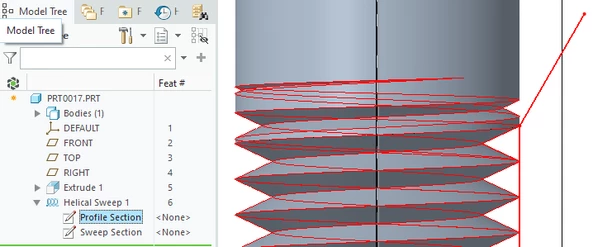
A separate feature is not the only solution but in most cases is the easiest to implement. The thread referenced by @StephenW has some options that work. There is another approach not documented there but is easily understood and modeled.
Another option is to use a revolved feature to generate a lead in on the thread. Here is one example of how this works on a female thread. The proximal and distal ends of the helical sweep are used to create the transition to the bore wall.
You can revolve the thread profile such that it will generate a blended geometry. Multi body Boolean operations are very useful for combining these features with the geometry of the part.
This is a nice option to keep it all in one feature. It may make it trickier to have control over thread clocking in some design cases. The best option would be driven by how you need to control design intent as well as how the actual part would be manufactured.
If so, please mark the appropriate reply as the Accepted Solution or please feel free to detail in a reply what has helped you and mark it as the Accepted Solution. It will help other members who may have the same question.
Of course, if you have more to share on your issue, please pursue the conversation.
Thanks,
Windchill Satisfaction Survey
Help shape the future of Windchill. Take our 5-minute survey and share your feedback.