Aug 12, 2022 12:33 PM UTC
Solved

How to project a sketch onto multiple surfaces at once?

Hi all,


In the image below, I would like to project the sketch onto the revolve. I would like to project onto all of its surfaces at one time, if possible. Please note that the sketch overlaps between different surfaces. Preferably, I'd like to do this such that I could even extrude/offset the sketch from the surface.
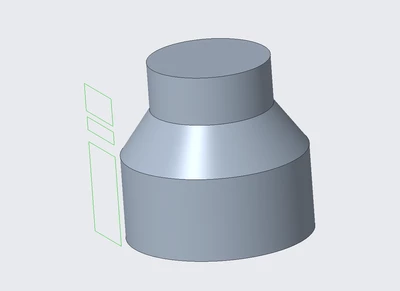
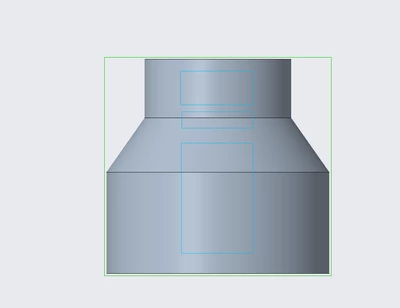
JiffiPop_0-1660307307845.png

JiffiPop_1-1660307442190.png

Anybody have any suggestions? Thank you in advance!


Thank you,

Jeff Houston
 

tbraxtonAnswer
Aug 12, 2022 1:32 PM UTC

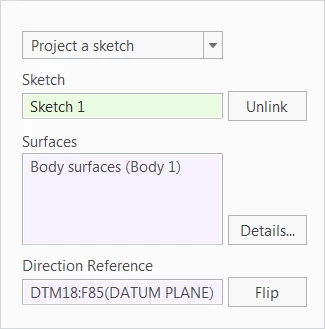
One option is to select body surfaces (if you are in Creo 7+).

tbraxton_0-1660311075279.png

Circle sketch projected onto a body

tbraxton_1-1660311144899.png


3 replies

tbraxtonAnswer
Aug 12, 2022 1:32 PM UTC

One option is to select body surfaces (if you are in Creo 7+).

tbraxton_0-1660311075279.png

Circle sketch projected onto a body

tbraxton_1-1660311144899.png


Aug 13, 2022 9:36 AM UTC

Creo 6 Student Version

DRFaust_0-1660383390108.png


Aug 15, 2022 2:55 PM UTC

For the offset/extrude part of the question I would suggest using Offset > Expand > Sketched Region.

kdirth_0-1660575282056.png