Feb 24, 2017 12:02 PM UTC
Solved

How to make sketches to show inside swept blend or sweep feature?

Hello all,


I am using swept blend tool to make a profile by defining different sketches as section of the blend, my task requires all the sketches to show inside the feature, no sketches are allowed externally on a model tree, its like when you click extrude feature it asks for placement of the sketch weher you select a plane and create your extrude profile and when you press OK the extrude is cerated with skecth inside it (internal skecth) rather than on outside of extrude feature, I want the same thing for swept blend and sweep feature for skectes to show inside. Please help


Thanks.
kdirthAnswer
Feb 27, 2017 1:23 PM UTC

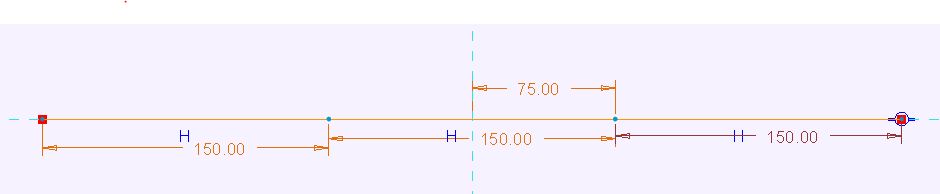
Start with a sketch made of multiple lines, arcs or curves.

Capture.JPG

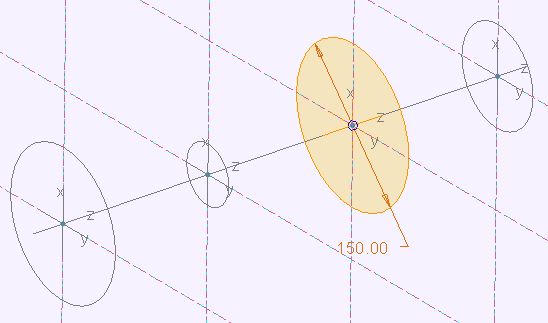
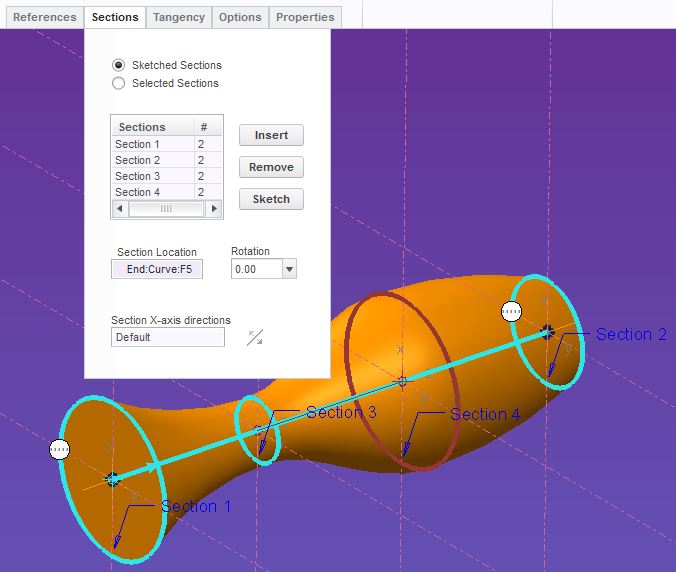
In the sections tab of the swept blend, sketch the starting section.  Select the insert button to add a section at the end and select the Sketch button to create the section.  Selecting the Insert button a third time to place a third section.  To locate the section pick the end point of a line within the section and select sketch to create the section.  You can only have as many section as you have line end points.

Capture.JPGCapture.JPG

The sections will be normal to the curve at the selected point.  If you use a multiple line section, such as a square, you control the twist of the sweep by selecting the endpoint in each section that you want to be connected and select Start Point from the right click menu.

9 replies

Feb 24, 2017 1:31 PM UTC

The trajectory can not be placed within the sweep or swept blend, as of CREO 2.0.  A section can be place at each line/curve end within the swept blend by creating a section at both ends and selecting internal nodes for additional sketches between.

simranAuthor
Feb 27, 2017 5:37 AM UTC

Hi Kevin,

Thanks for your answer, can you please elaborate a bit more? Trajectories cant be placed inside the swept feature ok i get that but how to place section sketches inside??

kdirthAnswer
Feb 27, 2017 1:23 PM UTC

Start with a sketch made of multiple lines, arcs or curves.

Capture.JPG

In the sections tab of the swept blend, sketch the starting section.  Select the insert button to add a section at the end and select the Sketch button to create the section.  Selecting the Insert button a third time to place a third section.  To locate the section pick the end point of a line within the section and select sketch to create the section.  You can only have as many section as you have line end points.

Capture.JPGCapture.JPG

The sections will be normal to the curve at the selected point.  If you use a multiple line section, such as a square, you control the twist of the sweep by selecting the endpoint in each section that you want to be connected and select Start Point from the right click menu.

simranAuthor
Feb 28, 2017 9:38 AM UTC

Ok so what I have learned from online search and answers from this question, there is no way to make external sketches internal in the "swept blend" or "sweep feature" @?!

Thats too bad, as other modeling software like inventor places sketches inside the 'Loft" feature if we want it to.

simranAuthor
Mar 2, 2017 4:57 AM UTC

Oh ok I get it now..Thank you so much Kevin Dirth‌ that really helped.