May 26, 2015 8:46 PM UTC
Solved

How do I rotate an object in a creo drawing?

Hello everyone,


I have my front view set up in the drawing, but I want to rotate it. About an axis or a feature, either way. How would I accomplish that?

May 27, 2015 4:45 PM UTC

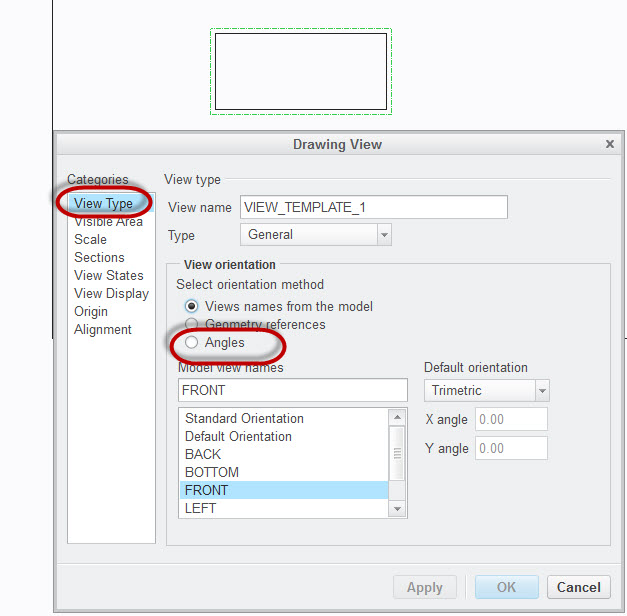
Select View > Right click > Properties.

View.jpg

8 replies

May 27, 2015 12:58 AM UTC

Purva,

You can try using View orientation in view properties, possibly View orientation > Angle will help you.

pjuvekarAuthor
May 27, 2015 7:36 AM UTC

View.png

Hi Mahesh,

I cannot seem to find the Angle option. Under view, there's view>orientation. I can't find the angle command. Could you help me with that? Thanks a ton!

May 27, 2015 11:15 AM UTC

select your view you wish to re-orient and RMB > properties

your options become available

pjuvekarAuthor
Jun 17, 2015 6:36 AM UTC

Hi Mahesh,

I apologize for not marking the correct answer earlier. The answers in the this post definitely helped me, thanks to you and Ron St. Pierre!