
Apr 27, 2012 3:59 PM UTC
Solved

Hole pattern - symmetric about center hole in two linear directions
2.png

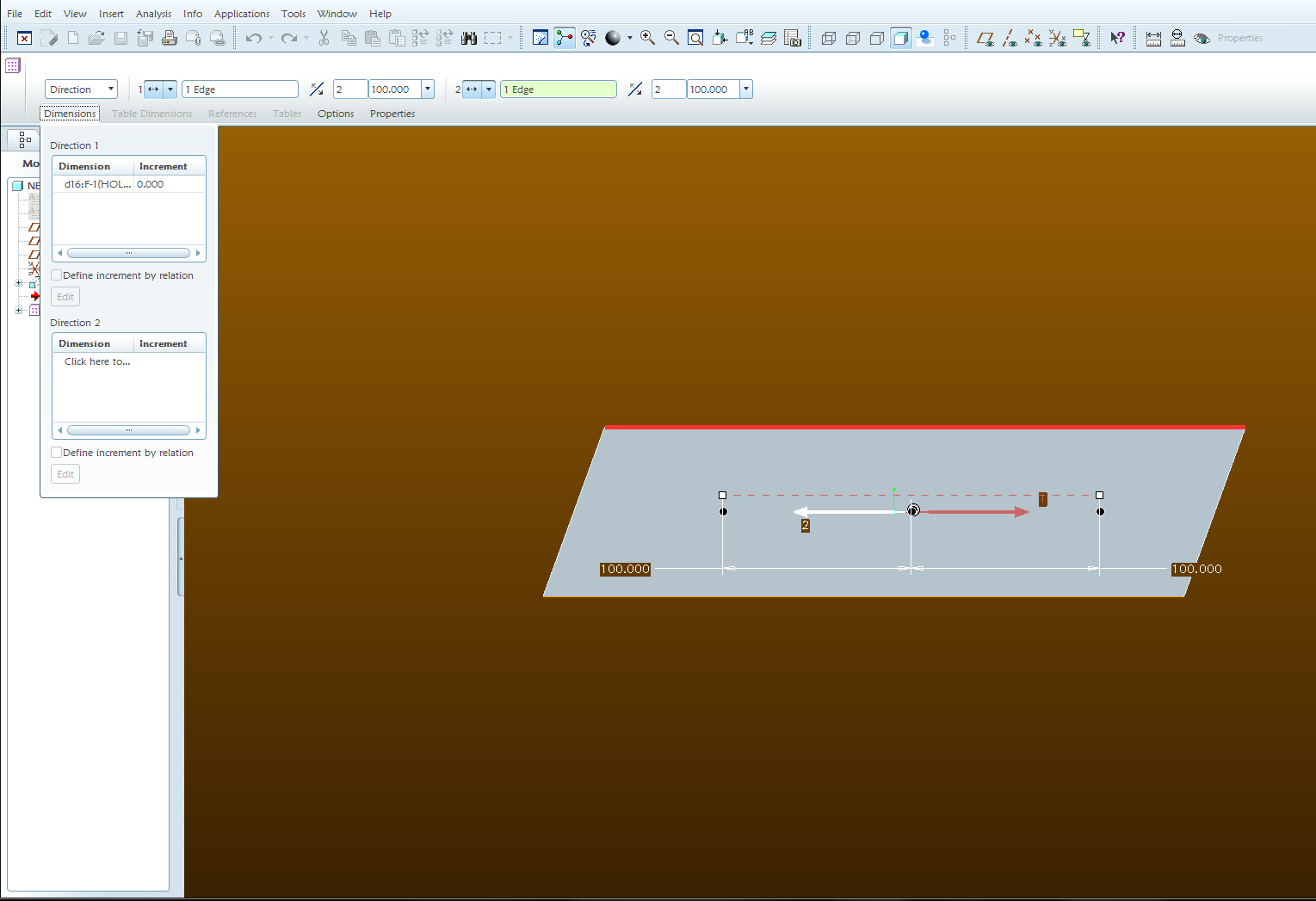
Ok...I thought I could do this, but I keep getting two holes in the center.

I've created the center hole and am trying to pattern one to the right, horiz, 100mm, and one to the left, the same distance, in the same command. I can pick the two directions and offset, but keep getting a duplicate hole in the center. Number of members in both directions must be two or I get an error.

I would think this can be done without getting a duplicate hole in the middle, but maybe not? If someone could shed some advise I'd greatly appreciate it!

11 replies

Apr 27, 2012 4:57 PM UTC

There are a few things you can do with this. The first for the method you are using is to select the duplicate black dot at the center to remove it from the pattern. The only one that can't be removed is the pattern leader which has a circle around it. Other things you could do although they may not necessarily be what you want are a pattern table, diameter pattern, radial pattern, and pattern by point.

KrisRAuthor
Apr 27, 2012 5:03 PM UTC

Well, since it's the pattern leader in two directions, I can't select the black dot.

Apr 27, 2012 5:26 PM UTC

There is only one pattern leader which is the one you select to make the pattern. You should be able to select the second one. Another note is that for a direction pattern you are not required to have a dimension specified in the dimension tab. It can make it easier for you to de-select the instance that is overlaid on the pattern leader though.

New Picture.jpgNew Picture (1).jpgNew Picture (2).jpg

Here are so images on what happens with a dimension specified:

New Picture (3).jpgNew Picture (4).jpg

Change the increment back to 0 when finished.

Apr 29, 2012 3:09 PM UTC
KrisRAuthor
Apr 30, 2012 11:37 AM UTC

This worked well - thanks!