
Jun 16, 2020 11:43 AM UTC
Solved

Hiding sketches curves and Quilts in drawing

While creating a assembly drawing I am getting too many sketches displayed (in Pink and blue color) inside every views, its child parts are created with many features like merge, surface extrusion, cosmetic sketches etc.,


From top level assembly how can I hide all these sketches using layer and rules? instead of finding actual child part and hiding its sketch feature.
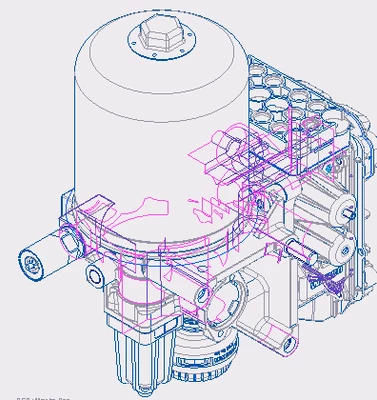
2020_06_16_17_08_11_090_Active_Creo_Parametric.png

ThoRigAnswer
Jun 17, 2020 3:15 PM UTC

Did the below link resolve your problem?

4 replies

Jun 16, 2020 6:07 PM UTC

@RaJesh2

Check reviewing the layers in assembly and try control the visibility. 

Jun 16, 2020 8:46 PM UTC

I had the same problem, and I posted the topic under Data Exchange.  Go to the attached thread and you will get your answer (I think).


https://community.ptc.com/t5/Data-Exchange/Cannot-Hide-Quilt-Edges/m-p/671220#M6443

ThoRigAnswer
Jun 17, 2020 3:15 PM UTC

Did the below link resolve your problem?

Jul 26, 2020 1:31 AM UTC

Usually by default, Creo should have layer called 'sketch' , just click middle mouse and select hide and save status.


Cheers.