Solved
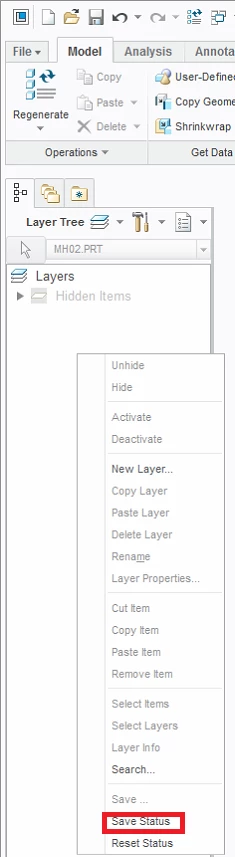
hide planes and save the settings
hi,
I have been creating a bit complex model where i have up to 30 planes created.
when i turn on "Plane Display", it will show all the planes, i hide the rest to show only what i need.
when i close and reopen the same part file, all the planes become "unhide" (including some sketches) i again have to hide all the planes when becomes annoying ( i have to do this every time i open) , is there a way to keep the planes hidden even when i reopen the file.
I tried saving model tree.. doesn't help..
Any suggestions ...
Thanks in advance..
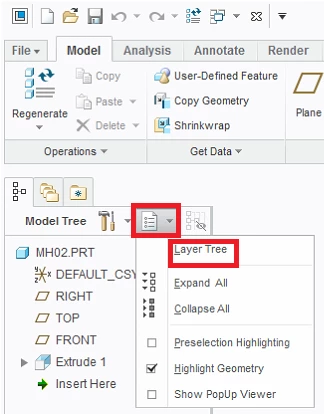 click right mouse button to get context menu