
Feb 24, 2017 7:37 PM UTC
Solved

FILL A HOLE ON A COMPLEX SURFACE

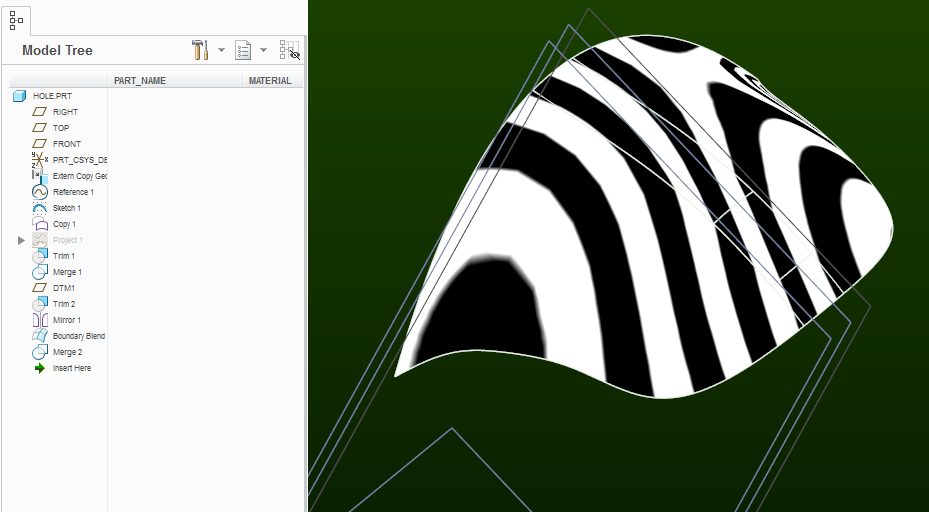
I am trying to fill a hole on a complex surface.  I use curves to chop it up and boundary blends to fill it in.  However the tangencies are not perfect and I can still see a small seam.  Any suggestions would help.
psobejkoAnswer
Feb 24, 2017 9:17 PM UTC

Well, that's just a starting point.  At least it fills in part of your hole.  After you trim away at this copy and re-merge the the original quilt, you get kinda close:

hole_filled.png

11 replies

Feb 24, 2017 8:27 PM UTC

Did you try selecting the quilt, and doing a copy and paste with the "untrim" boundary option?

hole_to_be_filled.png

This thread discusses similar "reverse-engineering" effort:

Is there a way to fill the hole?

ronbakAuthor
Feb 24, 2017 8:48 PM UTC

I tried that and it doesn't give me the results I need. I lose the profile and I get overlap with the existing surfaces.

psobejkoAnswer
Feb 24, 2017 9:17 PM UTC

Well, that's just a starting point.  At least it fills in part of your hole.  After you trim away at this copy and re-merge the the original quilt, you get kinda close:

hole_filled.png

ronbakAuthor
Feb 24, 2017 8:53 PM UTC

Here is how is stitched it together

stitch.PNG

stitch2.PNG

Feb 24, 2017 10:19 PM UTC

This might be due to issues with the source model. I'm seeing some wonky intersections on the copy geom:

Capture.JPG

Feb 24, 2017 10:24 PM UTC

Yeah, after trimming out the center section, I was able to patch it pretty easily (pardon the quick and dirty modeling).