
Apr 21, 2018 5:29 PM UTC
Solved

Extrude curve/spline from imported iges? not working.

i have an iges containing a 2d spline taken from the cross section of a 3d scan, then exported as the curves in iges format. i need to be able to extrude the profile in creo parametric but for some reason it is not working at all. it wont import into a sketch as it says the iges is 3d. and other than tracing on a new sketch using the curves as referance points i dont know what to do.

is there a way of taking the curve data and putting it directly in a sketch to extrude from?. 

thanks for your time!. 
Apr 21, 2018 6:28 PM UTC

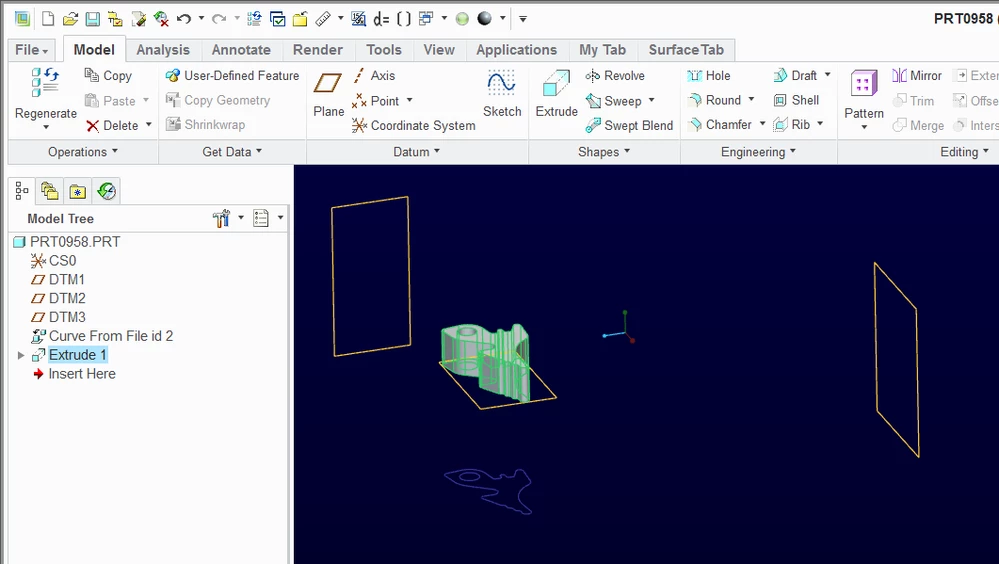
Create a sketch in the direction of your extrusion.  You would Project<command> your curve on the sketch plane for extrusion.


You can later trim the extrusion to the 3D curve if it will lie on your new surface.

I didn't realize your curve was flat, but Creo doesn't care.  

Creo wants a known planar reference in order to extrude.


curve_extrude.PNG

2 replies

Apr 21, 2018 6:28 PM UTC

Create a sketch in the direction of your extrusion.  You would Project<command> your curve on the sketch plane for extrusion.


You can later trim the extrusion to the 3D curve if it will lie on your new surface.

I didn't realize your curve was flat, but Creo doesn't care.  

Creo wants a known planar reference in order to extrude.


curve_extrude.PNG

Apr 21, 2018 6:48 PM UTC

Fantastic!.

Much apriciation.  seems so simple now, im new to creo, used autodesk products mainly before so these things stop me right in my tracks !.

Thanks again.