
Jan 14, 2019 4:42 PM UTC
Solved

Exclude one item from the Repeat Region Table

Hi,


I need help with understanding, how to exclude one item from my Repeat Region Table/

I have hidden one part from my assembly in every view, which is okay.


But my autogenerated BOM table still have all parts.

How to change it to exclude unwanted items and get new numbering within this table?
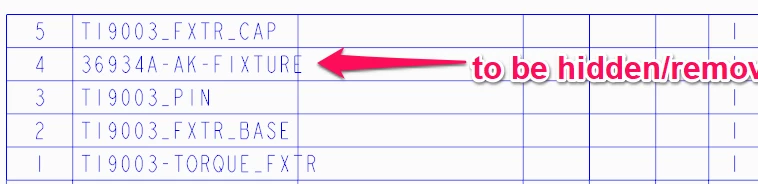
 

BOM table 01.png


Thank you,

Arek


TomUAnswer
Jan 14, 2019 4:49 PM UTC

Table Tab:

Repeat Region --> Filters (select the table) --> By Item (select the row(s) to hide) --> Ok --> Done -->Done -->Done.

2 replies

TomUAnswer
Jan 14, 2019 4:49 PM UTC

Table Tab:

Repeat Region --> Filters (select the table) --> By Item (select the row(s) to hide) --> Ok --> Done -->Done -->Done.

Jan 14, 2019 4:50 PM UTC

Table - Repeat Region - Filter - (choose bom table) - By Item - Exclude and you can choose the line you want to exclude.