
Jun 11, 2019 9:05 PM UTC
Solved

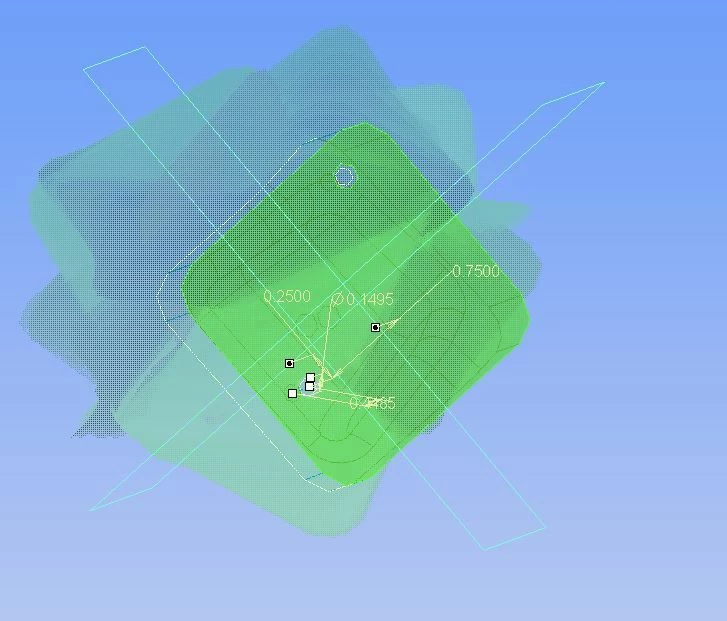
Editing a feature while in wireframe, creating lag in background.

While in wireframe view, editing a hole and trying to rotate the model, creo creates an Windows 3.1 mystify screensaver feel. Zooming in and out will fix the issue. Does anyone know how to prevent this? Editing a hole feature while in wireframe and moving the model.Editing a hole feature while in wireframe and moving the model.
Natem0613Answer
May 30, 2019 9:14 AM UTC
Changing the Config setting blended_transparency from independent to yes resolved the issue.

Thanks for your help with the Issue MaheshSh!


6 replies

Jun 12, 2019 11:53 AM UTC

@Natem0613 


This seems to be related to graphics.. you may try updating the graphics drivers.. 

Try the same without any config files. 


BTW, which version of Creo are you using? and share some machine details.. 

Natem0613Author
Jun 6, 2019 3:44 PM UTC
I ran creo without any config files and it fixed the issue. Now it's just determining which config setting is causing the issue.


We're using Creo 4 M040 on ACPI x64-based PC with NVIDIA Quadro M3000 SE graphics card.


Natem0613AuthorAnswer
May 30, 2019 9:14 AM UTC
Changing the Config setting blended_transparency from independent to yes resolved the issue.

Thanks for your help with the Issue MaheshSh!