May 10, 2018 6:38 PM UTC
Solved

CROSS SECTION ARROWS ACROSS VIEW

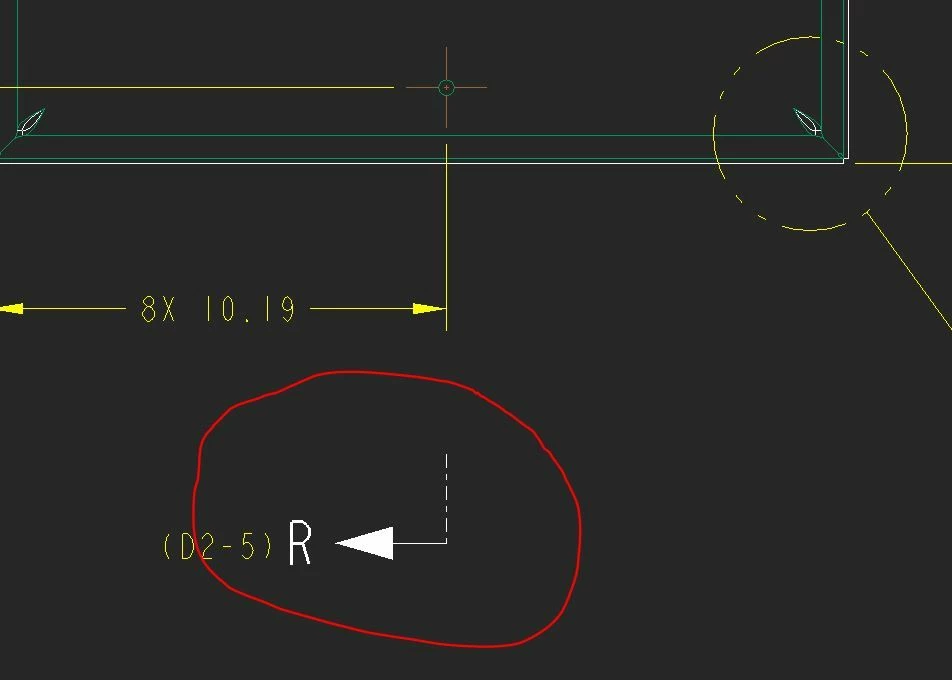
How do I break the cross-section arrows so they don't cross over the view? I've seen it done on many drawings but I can't figure out how.

Thanks!arrow.JPG 
KenFarleyAnswer
May 11, 2018 7:57 PM UTC

When you're in the drawing mode, you can break those lines using by:

(1) Activating the "Annotate" tab.

(2) In the "Edit" subgroup of the ribbon, click on the "Break" function

(3) Pick two points on the section line, and the portion of it between the two points is erased from view.

You can have multiple breaks in the same section line, if you find you need to cross over multiple things.

1 reply

KenFarleyAnswer
May 11, 2018 7:57 PM UTC

When you're in the drawing mode, you can break those lines using by:

(1) Activating the "Annotate" tab.

(2) In the "Edit" subgroup of the ribbon, click on the "Break" function

(3) Pick two points on the section line, and the portion of it between the two points is erased from view.

You can have multiple breaks in the same section line, if you find you need to cross over multiple things.
