Feb 15, 2017 7:43 PM UTC
Solved

Creo 4: Section lines wrong

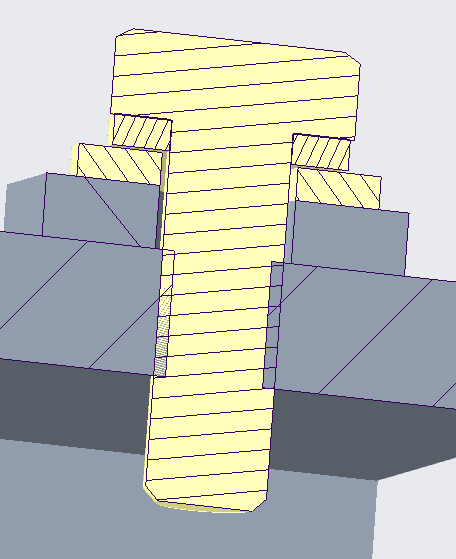
I did a quick section view in Creo 4, placed it on my drawing and the crosshatching is wrong.
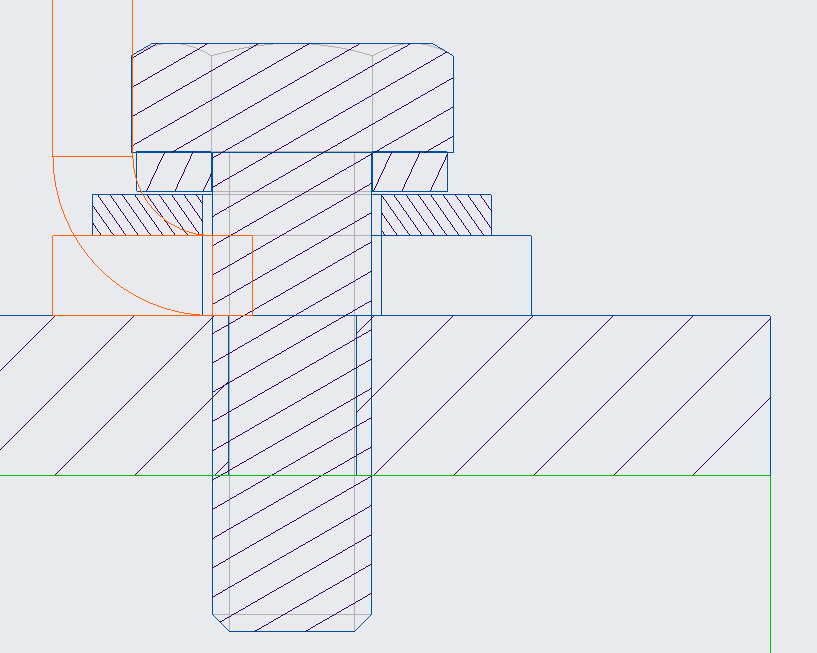
The parts from top down are: bolt, lock washer, flat washer, bracket and box. The bracket is not cross-hatched and should be in the drawing.

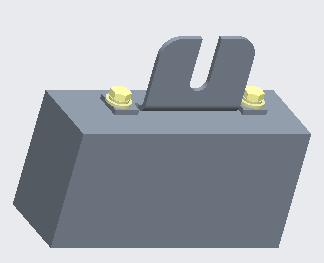
The left view is from the drawing, the right view from the assembly model. Bottom view is the whole assembly.

Creo 4 F000

TomUAnswer
Feb 15, 2017 8:31 PM UTC

Also, when you step through the hatching on the drawing, does that bracket highlight?  If so, can you reduce the hatching size?  Maybe it's so large that none of the lines are visible in the hatched area...

7 replies

Feb 15, 2017 8:29 PM UTC

Cross hatching generally does not work correctly where there are interferences.  Does the hatching work correctly if you enlarge the hole in the box so it doesn't interfere with the bolt (just for testing)?  Are there any other interferences?

BenLoosliAuthor
Feb 15, 2017 8:50 PM UTC

The problem with changing the box hole is that it is the tap drill size for the1/4-20 bolts holding the bracket to the box.

The software seems to handle the bold/box interference just fine.

Feb 15, 2017 9:06 PM UTC

It was just a suggestion to see if removing interferences has any impact on hatching.  Obviously don't leave it that way.

TomUAnswer
Feb 15, 2017 8:31 PM UTC

Also, when you step through the hatching on the drawing, does that bracket highlight?  If so, can you reduce the hatching size?  Maybe it's so large that none of the lines are visible in the hatched area...

BenLoosliAuthor
Feb 15, 2017 8:47 PM UTC

When I step through the hatching, I got the part to highlight, but the only option available was angle, no distance setting like the other parts. I did get a single hatch line to appear at 30 and 60 angles.

Feb 15, 2017 9:05 PM UTC

I'm not sure I have the correct answer if you can't reduce the hatching size...

Feb 15, 2017 9:23 PM UTC

Are you testing Creo 4? Is it acceptable in Creo 3?

Occasionally by default, the x-hatching is too big for a part but I don't remember ever seeing the hatch spacing option missing on a part.