Mar 30, 2018 1:52 PM UTC
Solved

Creo 4 + Dimension Issue - arrowhead hides feature that you need to select

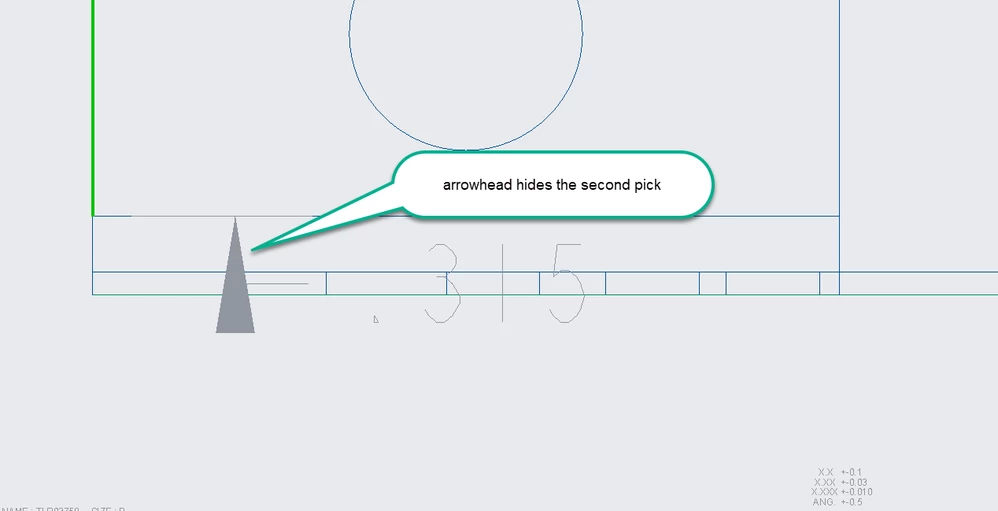
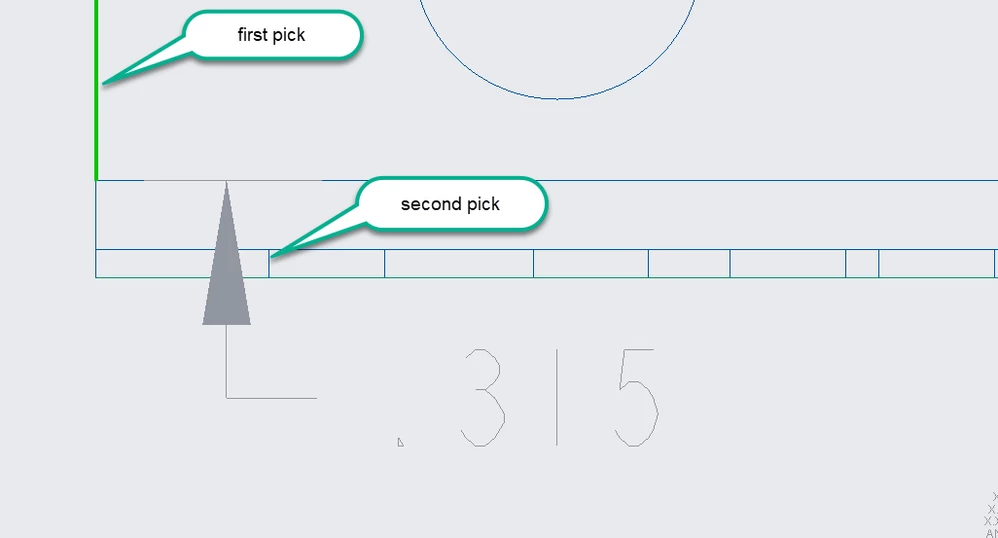
Dimensioning issue:
Is there a technique or option that can be applied to prevent an arrowhead from hiding the second pick on small features.

Below pics are for reference only how arrow head hides a small feature.
second.png


first.png


Mar 30, 2018 4:58 PM UTC

You can use config option suppress_dim_ghost_with_ctrl with value as yes. Setting this option will suppress the dim preview on using CTRL. 


3 replies

Mar 30, 2018 4:58 PM UTC

You can use config option suppress_dim_ghost_with_ctrl with value as yes. Setting this option will suppress the dim preview on using CTRL. 


tcusumanoAuthor
Mar 30, 2018 5:13 PM UTC

That does the trick, was exactly what I was looking for.


Thanks, Ted

tcusumanoAuthor
Mar 30, 2018 5:09 PM UTC

Here is another example where the floating dimension hides the second pick again. Would it not be a better solution if PTC delayed the display of the dimension?


third.png