Jan 28, 2017 2:04 PM UTC
Solved

Creo 3 Surface gap filling

Hello All,

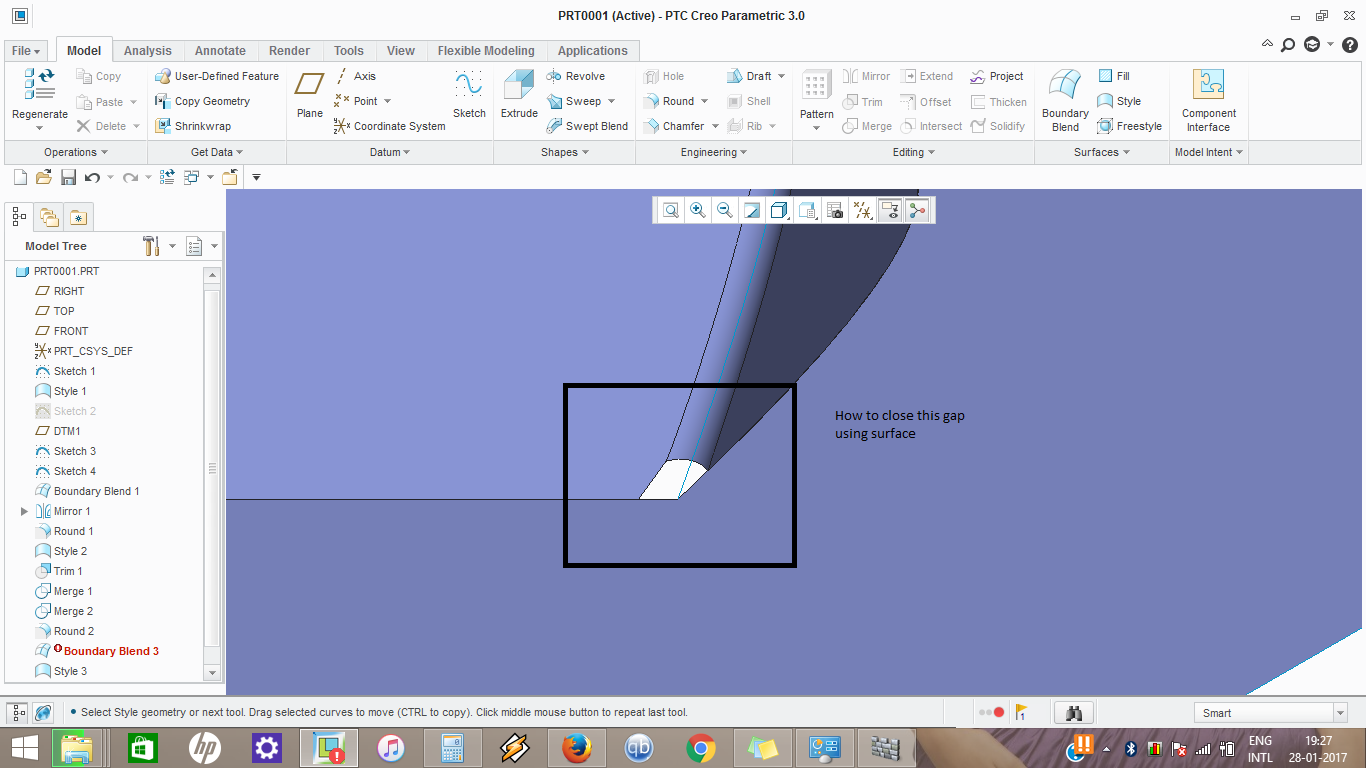
I am user of creo and I am a beginner in surface modelling in creo so I'm doing practice models. I have a doubt regrading filling a gap between surfaces I tried using boundary blend and style surface.

I am not able to do that can you please guide me how to close or patch up the gaps.

Thank you

Babusurface patch.png
Jan 30, 2017 8:18 PM UTC

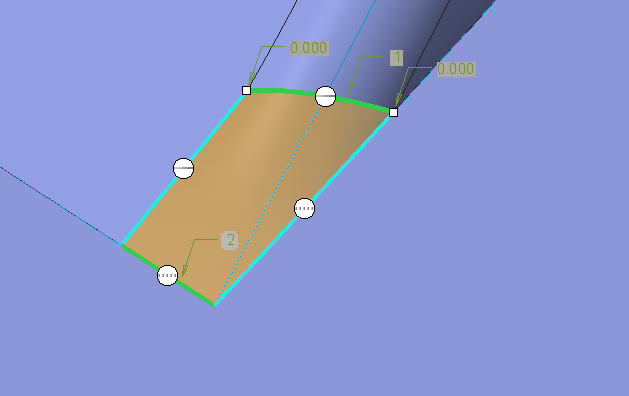
I filled your gap. You can not have tangency on 4 sides.

Cattura.PNG

6 replies

Jan 30, 2017 3:10 PM UTC

Sorry, but i have to be honest. You're trying something not so simple with rookie's skills.

Anyway try to see my file.

Jan 30, 2017 4:19 PM UTC

Thanks for the solution.

you've changed the model design methods to obtain the results that is one way to do it.

but I am looking for methods to fill the gap if I wasn't allowed to change the design structure as you said it will not be rookie work I am looking forward to learning it.

Thanks for the solution

Babu

Jan 30, 2017 8:18 PM UTC

I filled your gap. You can not have tangency on 4 sides.

Cattura.PNG

Feb 2, 2017 7:29 AM UTC

Hello,

just a note. It's often beneficial to model surfaces larger that intended and then trim/merge as needed. See attached example.

I extended the side wall below the flat surface. After that it was possible to make the round all the way and no gaps left to fill.

BR

Miika

Feb 2, 2017 9:49 AM UTC

Hello Miika,

  Thanks for the response. I agree with you the solution you said is the most efficient solution to the query.

I asked the question because I was presented with this kind of problem as interview test, They specifically asked to patch up the surface that's why.

Thank you

Babu