
Nov 15, 2017 9:13 PM UTC
Question

Add radius to part made by surfacing

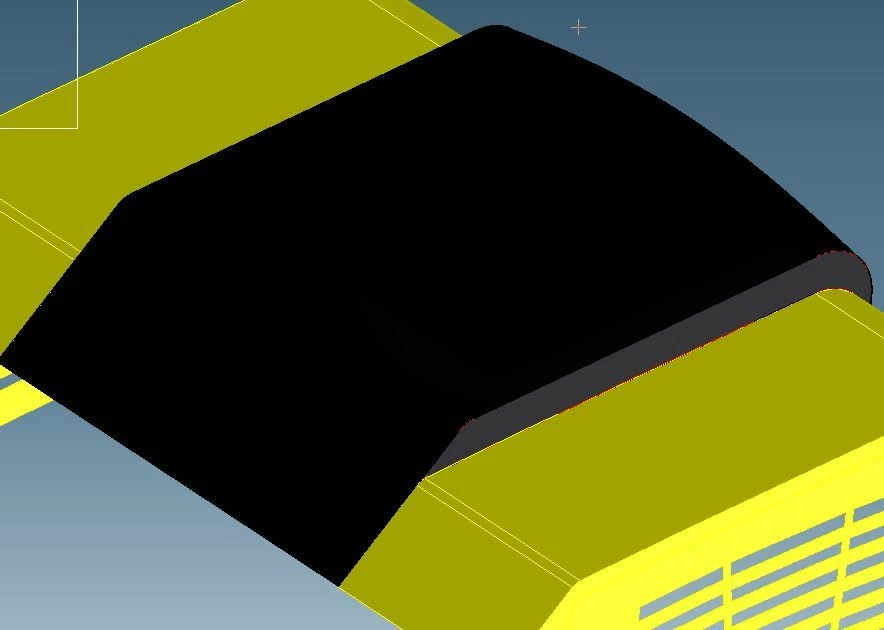
I am very new to surfacing in direct elements and I have been working on this hood.  I have no problem making the basic shape of the hood, but adding the sides has been a pain and I find I can't add radius on either side.

To add the sides of the hood, I draw the outline and then pull it to the right thickness.  I then unite the main hood and the side. I was able to do it on one side, then it would not let me add it to the other side.

I think the way that I created the sides did not leave smooth edges, so I get an error when I try to add a radius.

Also, when I try to make a cutout on the top for a grill, the part turns back into a face part.

Anything would help! I have attached a picture of the hood (the black section) for reference. hood.JPG
5 replies

Nov 16, 2017 1:02 AM UTC

please attach your part file for reference. Thanks

agraciaAuthor
Nov 20, 2017 4:03 PM UTC

I have uploaded a step file, thanks!

Nov 21, 2017 1:35 AM UTC

Thanks. The imported quits from your step file are pretty messy and hard to tell what your intent is. I am making a guess of what you actually wanted to do and this is what I got:Capture.JPG

 The attache i Creo2 file. Hope this helps.


Nov 19, 2017 6:43 PM UTC

In this case, you might try a sweep feature.  Are the two surfaces at right angles along the entire path?


Normally, you can add a radius to a merged pair of surfaces.  If you have a solid and a surface, you can offset (by zero) the solid surface you desire.  With possibly a few more steps, you can then solidify the round feature.

agraciaAuthor
Nov 20, 2017 4:05 PM UTC

Well yes and no, at one section they are at a right angle, but the hood cruves on top. Also only one side is merged to the center section. For some reason it won't unite the other side even though I created the same way as the original side.